Smart Cameras and Video Doorbells Explained
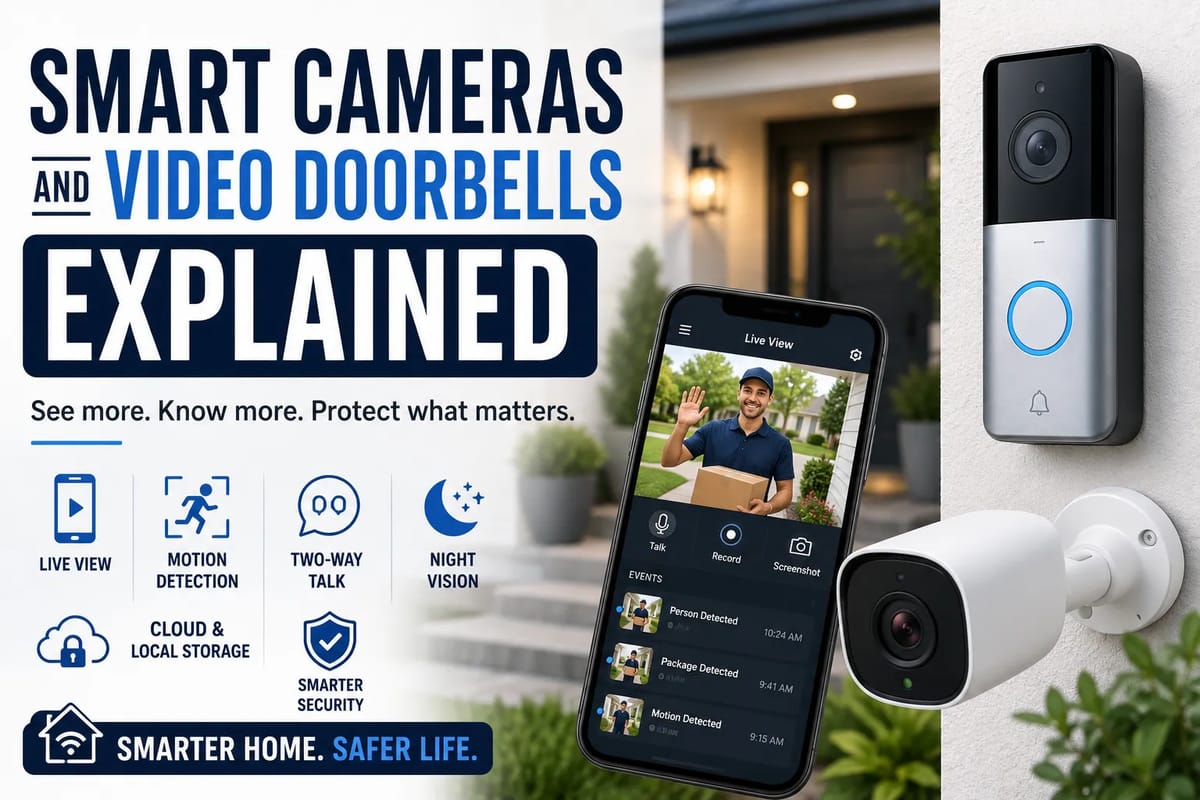
Smart Cameras and Video Doorbells Explained
Smart cameras and video doorbells have become increasingly common in modern homes. What once required a dedicated security system can now be installed as a relatively simple connected device, allowing homeowners and renters to see what is happening around their property from a smartphone or other internet-connected device.
These products combine cameras, motion detection, microphones, speakers and software to provide a different approach to home security. Some can send alerts when movement is detected, while others can recognize people, vehicles or packages and provide two-way communication with visitors.
But smart cameras and video doorbells are more than cameras connected to Wi-Fi. Understanding how they work, what they can actually detect and how they handle recorded footage is important before choosing one for a home.
For a broader look at how connected devices, automation, security and other technologies fit together, see The Complete Guide to Smart Homes.
What Are Smart Cameras?
A smart camera is a connected camera designed to capture video and communicate with other devices or online services.
Unlike traditional security cameras that may simply send video to a dedicated recorder, smart cameras often connect to a home network and provide remote access through an application.
Depending on the model, a smart camera may offer:
-
Live video streaming
-
Motion detection
-
Sound detection
-
Night vision
-
Two-way audio
-
Person detection
-
Vehicle detection
-
Pet detection
-
Activity zones
-
Cloud video storage
-
Local storage
-
Smartphone notifications
-
Integration with smart-home platforms
Some cameras are designed for indoor use, while others are weather-resistant and intended for outdoor monitoring.
What Is a Video Doorbell?
A video doorbell is essentially a smart security camera designed specifically for a home’s entrance.
It usually combines a camera with a physical doorbell button.
When someone approaches or presses the button, the device can notify the homeowner through an app. The homeowner may then be able to view the visitor and communicate with them through the doorbell’s built-in microphone and speaker.
A typical video doorbell can provide:
-
Live views of the entrance
-
Motion alerts
-
Doorbell notifications
-
Two-way communication
-
Night vision
-
Recorded video
-
Person detection
-
Package detection on some models
This makes a video doorbell useful not only for security but also for everyday interactions with deliveries, visitors and service providers.
For a broader look at connected devices that can work together, How to Make Different Smart Home Devices Work Together explains how interoperability can make a smart-home system more useful.
How Smart Cameras Work
The basic process is relatively straightforward.
1. The Camera Captures Video
A camera sensor converts incoming light into an electronic image.
The device processes that image and produces a video stream.
Image quality depends on factors such as:
-
Sensor size
-
Resolution
-
Lens quality
-
Field of view
-
Lighting
-
Image processing
-
Frame rate
A camera with a high resolution does not necessarily produce excellent footage in every situation.
Low-light performance and image processing can be equally important.
2. The Camera Connects to a Network
Most consumer smart cameras use Wi-Fi.
Once connected to a home network, the camera can communicate with an application or cloud service.
Some advanced security systems may use wired Ethernet or specialized wireless technologies instead.
A reliable network connection is important because poor connectivity can result in delayed notifications, interrupted live video or incomplete uploads.
For more information about the network infrastructure behind connected devices, see the Complete Guide to Smart Home Networking.
3. Software Processes the Video
Smart cameras increasingly use software to analyze what the camera sees.
Instead of simply detecting movement, some systems can distinguish between different types of activity.
For example, software may identify:
-
A person
-
A vehicle
-
An animal
-
A package
-
General movement
The exact capabilities vary considerably between manufacturers and models.
How Motion Detection Works
Motion detection is one of the most important features of a smart camera.
A basic system compares changes between frames.
If enough of the image changes, the camera determines that movement has occurred.
This can work well, but it can also produce false alerts.
Moving tree branches, changing shadows, insects or passing headlights can sometimes trigger notifications.
More sophisticated systems combine motion detection with image analysis to determine what caused the movement.
Instead of receiving an alert every time something moves, a user may be able to configure the system to notify them only when a person is detected.
What Is Person Detection?
Person detection uses computer vision to determine whether a human figure appears in a camera’s field of view.
This can reduce unnecessary notifications.
For example, a camera might ignore movement caused by a tree but notify the homeowner when someone approaches the front entrance.
Person detection does not necessarily mean the camera knows who the person is.
That distinction is important.
Detecting a person and identifying a specific person are different capabilities.
Facial Recognition Works Differently
Some smart security systems offer facial recognition or familiar-person detection.
These systems attempt to determine whether a detected face matches a previously enrolled individual.
Depending on the product and service, the system might recognize:
-
Household members
-
Friends
-
Regular visitors
-
Other known individuals
Facial recognition raises additional privacy considerations because biometric information can be more sensitive than ordinary motion detection.
Consumers should understand how a particular manufacturer handles facial-recognition data before enabling such features.
How Video Doorbells Detect Visitors
Video doorbells typically use a combination of motion sensors and camera-based analysis.
A visitor might trigger the device in several ways:
- Walking into a configured detection area
- Pressing the doorbell button
- Approaching within a certain distance
- Being identified by a supported detection system
The homeowner may then receive a smartphone notification.
Depending on the product, the notification might include a snapshot, short video clip or other information about the detected activity.
Two-Way Audio Makes Doorbells More Interactive
One of the most useful features of a video doorbell is two-way communication.
A homeowner can use the smartphone application to speak through the doorbell’s speaker while hearing the visitor through its microphone.
This can be useful for situations such as:
-
Receiving a package
-
Talking to a delivery driver
-
Greeting a visitor
-
Asking someone to wait
-
Communicating with a contractor
-
Deterring unwanted visitors
The feature effectively turns a smartphone into a remote intercom.
Night Vision Helps After Dark
A security camera is not particularly useful at night if it cannot produce usable images in low light.
Many smart cameras therefore include infrared illumination for night vision.
Infrared systems can capture images in darkness that would otherwise be too difficult for a conventional camera sensor to see.
Some newer cameras also use advanced low-light image processing or color night vision when sufficient ambient light is available.
Night performance can vary significantly between models, so daytime specifications alone should not determine a purchase.
Field of View Matters
Resolution gets much of the attention when people compare cameras, but field of view is equally important.
A wider field of view allows a camera to see more of the surrounding area.
For a front door, this could help capture:
-
Visitors
-
Packages
-
Walkways
-
Steps
-
Areas beside the entrance
However, extremely wide-angle lenses can introduce distortion.
The best field of view depends on where the camera is installed and what needs to be monitored.
Camera Placement Can Matter More Than Resolution
A high-resolution camera installed in the wrong location can still provide poor security coverage.
Before installing a camera, consider:
-
What area needs to be visible?
-
Where are people likely to approach?
-
Is the camera facing direct sunlight?
-
Could nearby objects block the view?
-
Is the camera high enough to reduce tampering?
-
Can faces be seen clearly?
-
Does the camera capture neighboring properties unnecessarily?
Good positioning can make a significant difference to the usefulness of the footage.
Cloud Storage vs Local Storage
One of the biggest differences between smart-camera systems is where recorded video is stored.
Cloud Storage
With cloud storage, recorded footage is uploaded to servers operated by the manufacturer or its service provider.
Advantages can include:
-
Remote access
-
Automatic backups
-
Easy playback
-
Protection if the physical camera is damaged or stolen
Potential disadvantages include:
-
Subscription fees
-
Dependence on internet connectivity
-
Privacy considerations
-
Service-provider dependence
Some features may only be available with a paid subscription.
Local Storage
Local storage saves recordings on a device such as:
-
A microSD card
-
A network video recorder
-
A dedicated home hub
-
Local computer storage
Advantages can include greater control over recordings and fewer recurring subscription costs.
However, local storage can be vulnerable if the camera or storage device is stolen or damaged.
Some systems combine both approaches.
Do Smart Cameras Require Subscriptions?
Not necessarily.
Some cameras offer basic functionality without a monthly subscription, while advanced features may require a paid plan.
Subscription-dependent features can include:
-
Extended video history
-
Person recognition
-
Package detection
-
Cloud storage
-
Advanced search
-
Extended warranties
-
Professional monitoring
Before purchasing a camera, it is worth calculating the long-term cost.
A relatively inexpensive camera can become considerably more expensive if essential features require a monthly fee.
What Happens When the Internet Goes Down?
Internet connectivity can affect smart-camera functionality.
Depending on the device, an internet outage may prevent:
-
Remote viewing
-
Cloud recording
-
Smartphone notifications
-
Remote two-way communication
Some cameras can continue recording locally when the internet is unavailable.
This is one reason local storage can be valuable for homeowners who want footage to remain available during network outages.
The exact behavior depends on the device.
What Happens During a Power Outage?
Most wired smart cameras require electricity.
If household power fails, the camera may stop operating unless it has:
-
A battery
-
Backup power
-
An uninterruptible power supply
-
Another independent power source
Battery-powered cameras can continue operating during short outages, although battery life depends on usage and environmental conditions.
A complete security setup should therefore consider both internet and electrical reliability.
Battery-Powered vs Wired Cameras
Battery-Powered Cameras
Advantages include:
-
Easier installation
-
No permanent power cable
-
Greater placement flexibility
-
Useful for locations without nearby electrical outlets
Disadvantages can include:
-
Regular charging
-
Reduced performance in some conditions
-
Battery degradation over time
-
Potential delays caused by power-saving modes
Wired Cameras
Advantages include:
-
Continuous power
-
No regular charging
-
Often better suited to high-traffic areas
Disadvantages include:
-
More complicated installation
-
Less flexibility in placement
-
Potential dependence on household electricity
The right choice depends on the location and how frequently the camera is expected to operate.
Smart Cameras and Home Automation
Smart cameras can also interact with other connected devices.
For example, a camera might trigger:
-
Smart lights
-
Alarms
-
Door locks
-
Smart displays
-
Home automation routines
A motion event could cause exterior lights to turn on.
A compatible doorbell could display a visitor’s video feed on a smart display.
These integrations can make a security system more convenient, although they also increase the number of connected devices that need to be secured.
Understanding how different platforms, devices and services communicate is particularly important when building a larger system. Understanding Smart Home Integration and Compatibility covers these compatibility considerations in greater detail.
Privacy Is a Major Consideration
A camera pointed at your property can also capture other people.
That may include:
-
Neighbors
-
Passersby
-
Delivery workers
-
Visitors
-
Children
-
People using shared spaces
Privacy should therefore be considered before installation.
Avoid pointing cameras into private areas where surveillance is unnecessary.
Many devices also offer privacy zones that can block selected parts of the image.
Protect Your Camera Account
A smart camera is a connected computer with a camera attached to it.
That means account security matters.
Good practices include:
-
Use a strong, unique password
-
Enable multi-factor authentication when available
-
Keep firmware updated
-
Use a secure home Wi-Fi network
-
Avoid sharing account credentials
-
Review connected users regularly
-
Remove old devices from your account
A poorly secured account could potentially give an unauthorized person access to live or recorded footage.
For a broader look at protecting connected devices and reducing risks around the home, see the Smart Home Security Guide.
Keep Firmware Updated
Manufacturers periodically release software and firmware updates to fix bugs, improve performance and address security vulnerabilities.
Ignoring updates can leave connected devices exposed to known problems.
Automatic updates can be useful when supported, provided users understand what the manufacturer is updating and how long the product is expected to receive support.
Long-term software support should therefore be part of the purchasing decision.
Consider Who Can Access the Footage
Before buying a smart camera, understand who can potentially access its recordings.
Depending on the system, footage could involve:
-
You
-
Other household members
-
Shared account users
-
Service providers
-
Cloud-storage providers
-
Law-enforcement agencies under applicable legal processes
Privacy policies can differ substantially between manufacturers.
Consumers should read the relevant documentation, particularly when cameras are being installed inside living spaces.
Indoor Cameras Require Extra Caution
An outdoor camera primarily monitors an entrance, driveway or yard.
An indoor camera can potentially observe intimate details of everyday life.
For that reason, indoor cameras deserve particularly careful consideration.
Bedrooms, bathrooms and other highly private areas are generally inappropriate locations for ordinary home-security cameras.
When an indoor camera is not needed, physically covering or disconnecting it can provide an additional privacy measure.
Smart Cameras Are Not Perfect Security Systems
A camera can document an event, but it cannot guarantee that an unwanted event will never occur.
Cameras can:
-
Miss activity
-
Lose network connectivity
-
Run out of battery
-
Produce false alerts
-
Have limited fields of view
-
Experience poor lighting
-
Be physically damaged
-
Store incomplete footage
They should therefore be considered one component of a broader home-security strategy.
Good lighting, strong locks, secure doors and windows, sensible access controls and appropriate alarms can complement camera systems.
How to Choose a Smart Camera
Before buying, consider the following factors.
Image Quality
Look beyond resolution.
Consider low-light performance, dynamic range and the ability to identify people at the expected distance.
Detection Features
Determine whether the camera can distinguish people, vehicles, animals or packages if those features matter to you.
Storage
Compare cloud and local storage options and calculate subscription costs.
Power
Decide whether battery or wired operation is more practical.
Weather Resistance
Outdoor cameras should be designed for the environmental conditions where they will be installed.
Privacy Controls
Look for privacy zones, physical shutters or other controls when appropriate.
Security
Check whether the manufacturer supports multi-factor authentication, encryption and regular software updates.
Ecosystem Compatibility
If you already use smart-home equipment, check whether the camera works with your existing platform.
What Makes a Good Video Doorbell?
A good video doorbell should provide useful coverage of the entrance without creating unnecessary complications.
Important features may include:
-
Clear daytime video
-
Effective night vision
-
Useful motion detection
-
Two-way audio
-
Reliable notifications
-
Appropriate field of view
-
Local or cloud recording
-
Weather resistance
-
Secure account controls
-
Reliable battery life if wireless
For many households, notification reliability may be more important than having the highest possible camera resolution.
A camera that produces beautiful video but consistently misses visitors is not particularly useful.
Wired Doorbells vs Battery Doorbells
Battery-powered video doorbells are generally easier to install.
They can be useful for renters or homes without existing doorbell wiring.
However, frequent activity can drain batteries more quickly.
Wired models can provide continuous power but may require existing wiring or professional installation.
Some products offer both options.
The best choice depends on the property’s wiring, installation restrictions and expected activity level.
Can Smart Cameras Recognize Packages?
Some smart-camera systems can detect packages or identify when an object appears within a designated delivery area.
This can be useful for homes that frequently receive deliveries.
However, detection accuracy varies.
A package may be hidden behind another object, placed outside the camera’s field of view or misclassified by the system.
Artificial intelligence can improve detection, but it should not be treated as infallible.
Can Smart Cameras Identify People?
Some systems can distinguish between a person and other types of movement.
More advanced systems may also offer familiar-person recognition.
These capabilities should not be confused with perfect identification.
Lighting, camera angle, distance, image quality and other conditions can affect accuracy.
People should also consider the privacy implications of storing or processing facial information.
Smart Cameras and Artificial Intelligence
Artificial intelligence is increasingly becoming part of home-security cameras.
AI-based systems can analyze video and categorize activity.
Instead of asking the homeowner to review hours of footage, software can search for events matching particular characteristics.
For example, a user might be able to search for activity involving:
-
A person
-
A vehicle
-
An animal
-
A package
This can make recorded footage considerably easier to navigate.
However, AI detection is probabilistic rather than perfect. False positives and missed events remain possible.
The Future of Smart Home Security
Smart cameras are likely to become more capable as image-processing technology improves.
Future systems may increasingly combine:
-
On-device AI
-
More advanced object recognition
-
Improved low-light imaging
-
Local processing
-
Faster notifications
-
Better integration with home automation
-
More sophisticated privacy controls
One particularly important trend is edge processing, where some video analysis occurs directly on the camera rather than sending every frame to the cloud.
This can potentially reduce latency and limit how much video leaves the home.
A Smarter Approach to Home Monitoring
Smart cameras and video doorbells can provide useful visibility into what is happening around a property, but their value depends on much more than camera resolution.
The strongest systems combine appropriate placement, reliable connectivity, useful detection features, secure accounts and sensible privacy practices.
For homeowners and renters, the most important questions are often straightforward:
What do I need to monitor, how much footage do I actually need, where will it be stored, who can access it and what happens when the power or internet goes down?
Answering those questions before buying can help prevent expensive mistakes.
Security Should Not Come at the Cost of Privacy
Smart cameras have transformed home monitoring by making live video, motion alerts and remote communication accessible to ordinary households.
But adding cameras also means adding connected devices that can observe sensitive parts of daily life.
The best approach is therefore not simply to install as many cameras as possible.
It is to use the minimum amount of surveillance necessary for the intended purpose, secure the devices properly, understand how recordings are stored and avoid monitoring areas where privacy is expected.
Smart home security works best when technology provides useful awareness without turning the home into a place where every movement is unnecessarily recorded.