Complete Guide to Smart Home Access Control
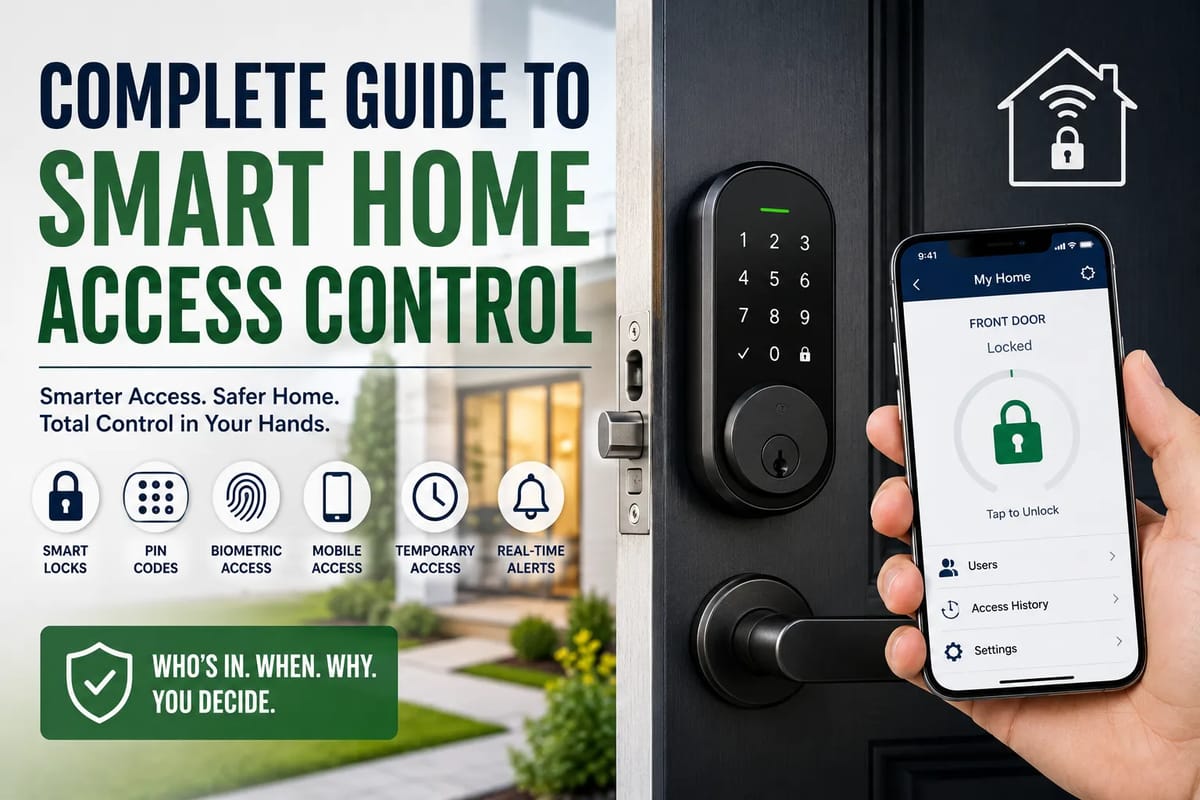
Complete Guide to Smart Home Access Control
Smart home technology has made it easier than ever to control lights, thermostats, cameras and appliances from a phone. But one of the most important parts of a connected home is often overlooked: access control.
Smart home access control determines who can enter your home, when they can enter, and what they are allowed to access. Instead of relying solely on traditional metal keys, homeowners can use smart locks, PIN codes, biometric authentication, mobile apps, keycards, video doorbells and automated entry systems.
The right setup can make a home more convenient while improving visibility and security. However, connected access systems also introduce new considerations, including passwords, network security, battery failures, privacy and emergency access.
This guide explains how smart home access control works, the different technologies available, how to choose the right system and how to build a secure access strategy. It is also an important part of the complete guide to smart homes.
What Is Smart Home Access Control?
Smart home access control is a system that uses electronic or connected technologies to manage entry into a home.
Traditional access control is relatively simple: a physical key unlocks a mechanical lock. Smart access control adds digital authentication and automation.
Depending on the system, homeowners may be able to unlock a door using:
- A smartphone
- A PIN code
- A fingerprint
- A keycard or key fob
- Bluetooth
- NFC
- A physical key
- Voice commands in certain configurations
- A temporary digital access credential
More advanced systems can also record access events, automatically lock doors and integrate with other smart home devices.
For example, a homeowner could give a cleaner a temporary PIN that works only between 9 a.m. and noon on a specific day. After the scheduled period ends, the credential can automatically stop working.
That is very different from handing someone a copy of a physical key.
How Smart Access Control Works
A typical smart access system has several components working together.
1. The Lock
The smart lock is the physical device responsible for securing and unlocking the door.
Depending on the model, it may replace the entire lock mechanism or attach to an existing deadbolt.
Some smart locks can operate independently, while others communicate with a central hub or home automation platform.
2. Authentication
Authentication is how the system determines whether someone is authorized to enter.
Common authentication methods include:
- PIN codes
- Smartphone credentials
- Fingerprints
- Keycards
- Key fobs
- NFC devices
- Bluetooth-enabled phones
- Physical backup keys
A system may support several methods simultaneously.
3. Connectivity
Smart access systems may communicate using technologies such as:
- Bluetooth
- Wi-Fi
- Zigbee
- Z-Wave
- Thread
- NFC
The choice of connectivity affects battery life, range, reliability and compatibility with other devices. Understanding the differences between these technologies is useful when choosing a system, and the Smart Home Protocols Explained guide provides additional context.
4. Mobile Application
Many smart locks use a smartphone application for configuration and remote management.
Depending on the manufacturer, the app may allow users to:
- Lock or unlock the door
- Create access codes
- Delete credentials
- View access history
- Receive notifications
- Check battery status
- Manage multiple locks
5. Hub or Controller
Some systems use a smart home hub to connect different devices.
A hub can allow a smart lock to communicate with other parts of the home automation system.
For example:
Unlocking the front door could trigger hallway lights to turn on automatically.
6. Cloud Services
Some connected locks rely on cloud infrastructure for remote access, account management and notifications.
This can be useful when you want to manage your home while away, but it also means account security and internet connectivity become important considerations.
Types of Smart Home Access Control
There is no single type of smart access control system. Different technologies suit different homes and security requirements.
Smart Locks
Smart locks are the most common entry point into smart home access control.
They can provide features such as:
- Remote locking
- Digital keys
- PIN codes
- Automatic locking
- Access notifications
- Guest access
- Activity logs
Some models retain a traditional key cylinder, providing a physical backup if the electronic system fails.
Keypad Entry Systems
Keypad locks allow users to enter a PIN rather than carrying a key.
They can be particularly useful for households with multiple occupants.
Instead of giving everyone the same code, each person can potentially have a unique credential.
For example:
| User | Access Method | Permission |
|---|---|---|
| Homeowner | PIN + smartphone | Full |
| Partner | PIN + smartphone | Full |
| Child | PIN | Entry only |
| Cleaner | Temporary PIN | Scheduled |
| Contractor | Temporary PIN | Limited |
Unique credentials also make it easier to revoke access when circumstances change.
Biometric Access Control
Biometric systems use physical characteristics to authenticate users.
Fingerprint recognition is the most common option in residential smart locks.
Advantages include:
- No key required
- No PIN to remember
- Fast authentication
- Convenient everyday use
However, biometric systems should not necessarily be treated as the only authentication method.
A homeowner should have a reliable alternative for situations such as sensor failure, power problems or a damaged fingerprint.
Smartphone-Based Access
Smartphone access allows a phone to function as a digital key.
Depending on the system, authentication may involve Bluetooth, NFC, Wi-Fi or an internet-connected service.
Smartphone access can be convenient for households that already use mobile devices as part of their smart home ecosystem.
The downside is obvious: a lost or compromised phone can become an access-control concern.
Strong phone security therefore matters.
Keycards and Key Fobs
Keycards and fobs are common in commercial buildings, but similar technology can also be used in residential environments.
They can be useful when a household wants physical credentials without traditional metal keys.
A lost card or fob can often be deactivated without replacing the entire lock.
Video Doorbells
Video doorbells are not technically locks, but they can become an important part of an access-control strategy.
They allow residents to:
- See who is at the door
- Communicate with visitors
- Detect movement
- Receive notifications
- Monitor deliveries
When combined with a smart lock, a video doorbell can provide both identity awareness and entry control.
However, homeowners should be careful about granting remote unlocking privileges through a doorbell or app.
For a broader look at connected cameras and doorbells, see the Smart Cameras and Video Doorbells Explained guide.
Smart Access Control vs Traditional Keys
Traditional keys remain useful because they are simple, inexpensive and independent of internet services.
Smart access control offers additional capabilities.
| Feature | Traditional Key | Smart Access |
|---|---|---|
| Remote access | No | Often |
| Temporary access | Difficult | Easy |
| Access history | No | Often |
| Automatic locking | No | Often |
| Smartphone control | No | Often |
| Battery required | No | Usually |
| Internet dependency | No | Sometimes |
| Physical backup | Yes | Often available |
| User management | Limited | Advanced |
Smart does not automatically mean more secure.
A well-designed electronic access system can provide better control and visibility, but poor passwords, insecure accounts or badly configured devices can create vulnerabilities.
The goal should be better-controlled access, not simply replacing a key with an app.
The Most Important Smart Access Features
When evaluating a smart access system, look beyond marketing features.
Unique User Credentials
A strong system should allow individual credentials whenever practical.
Giving every household member the same PIN makes it difficult to determine who entered the home.
Unique credentials provide better accountability.
Temporary Access
Temporary access is one of the strongest advantages of smart locks.
You may want to provide access to:
- House cleaners
- Babysitters
- Contractors
- Maintenance workers
- Guests
- Family members
- Property managers
Rather than handing over a permanent key, you can create an access credential with limited permissions.
Access Logs
An access history can show when a particular credential was used.
This can be useful for understanding:
- When children arrived home
- Whether a cleaner entered
- When a contractor accessed the property
- Whether a forgotten door was opened
Access logs should be treated as a privacy-sensitive feature, especially when multiple people live in the same home.
Automatic Locking
Automatic locking can reduce the risk of accidentally leaving a door unsecured.
Some systems allow users to specify a delay before the door automatically locks.
For example, a door might lock automatically after 30 seconds.
However, automatic locking should be configured carefully. A system that locks automatically without considering whether someone is still entering or exiting can create inconvenience or safety problems.
Remote Locking
Remote locking allows homeowners to check or secure a door from another location.
This can be particularly useful when you suddenly remember that you forgot to lock the front door.
Remote unlocking deserves greater caution.
Before enabling it, consider who has access to the account and whether the feature requires strong authentication.
Smart Home Access Control and Guest Management
One of the biggest advantages of digital access is the ability to manage different users differently.
Instead of treating every visitor as equally trusted, homeowners can create access based on identity, time and purpose.
Example
Imagine a household has a cleaner who visits every Tuesday.
A smart access system could potentially provide a credential that:
- Works only on Tuesdays
- Becomes active during specific hours
- Automatically expires
- Can be revoked immediately
The same concept can be applied to contractors or short-term guests.
This principle is known as least-privilege access: give users only the access they actually need.
Smart Locks and Vacation Rentals
Smart access control is particularly useful for rental properties.
Property owners can potentially manage access without physically meeting every guest.
A digital credential can be created for a reservation period and disabled afterward.
However, property owners should consider:
- Local regulations
- Emergency access requirements
- Backup entry methods
- Guest privacy
- Battery monitoring
- Internet outages
- Lock failures
A smart lock should never be treated as a substitute for a comprehensive property-management and emergency-access plan.
Smart Access Control for Families
Families have different access requirements depending on age and responsibility.
Parents may want separate credentials for children, teenagers and adults.
For example:
- Adults can receive full access.
- Older children can have personal PINs.
- Temporary credentials can be used for trusted visitors.
- Former household members can have their credentials removed.
The ability to change permissions without replacing physical locks can make smart access systems particularly convenient for growing households.
Protecting Smart Locks From Cyber Threats
A smart lock is a physical security device connected to digital technology.
That means cybersecurity matters.
For a broader look at protecting connected devices, accounts and the wider home network, see the Smart Home Security Guide.
Use Strong Account Passwords
The account controlling your smart home should have a strong, unique password.
Avoid using the same password across your:
- Banking
- Social media
- Smart home account
If one account is compromised, reused passwords can expose other services.
Enable Multi-Factor Authentication
If the manufacturer’s account supports multi-factor authentication, enabling it can provide an additional layer of protection.
A password alone should not be the only barrier protecting remote access to your home.
Keep Firmware Updated
Manufacturers periodically release firmware updates that may improve functionality, fix bugs or address security vulnerabilities.
Enable automatic updates when appropriate, or check for updates regularly.
Secure Your Wi-Fi Network
Your smart home devices ultimately depend on the security of the network connecting them.
Use:
- Strong Wi-Fi passwords
- Modern Wi-Fi security standards
- Updated router firmware
- A separate guest network when appropriate
Avoid leaving your router configured with its factory-default credentials.
What Happens When the Power Goes Out?
Power failures are one of the most important practical considerations when choosing smart access control.
Fortunately, many smart locks use batteries rather than drawing power directly from the home’s electrical system.
However, batteries can eventually run out.
Before buying a smart lock, determine:
- How long the batteries typically last
- Whether the lock provides low-battery warnings
- What happens when the battery is completely depleted
- Whether emergency external power is available
- Whether a physical key can still be used
A smart lock without a reliable backup entry method can turn a convenience feature into a serious problem.
What Happens When the Internet Goes Down?
Internet outages do not necessarily mean a smart lock will stop functioning.
Many systems can continue to perform basic local functions, such as accepting a PIN, even without an internet connection.
However, internet-dependent functions may stop working.
These can include:
- Remote unlocking
- Cloud-based access management
- Remote notifications
- Some activity synchronization
- Certain integrations
Before purchasing a system, distinguish between local functionality and cloud-dependent functionality.
Smart Home Access and Privacy
Access-control data can reveal sensitive information about household activity.
For example, access logs may reveal:
- When someone leaves home
- When someone returns
- How frequently someone enters
- Which credentials are being used
That information should be handled carefully.
Before buying a smart access system, review the manufacturer’s privacy policies and understand:
- What data is collected
- Where it is stored
- How long it is retained
- Who can access it
- Whether data is shared with third parties
- Whether activity logs can be deleted
Privacy is especially important when multiple people use the same system.
Integrating Smart Locks With Home Automation
Smart locks become more powerful when integrated with other smart home devices.
For example, an authorized entry could trigger:
Door unlocks → hallway lights activate → thermostat adjusts → security system changes mode
Similarly:
Door locks → exterior lights turn on → selected appliances switch off → security system activates
These automations can make a home feel significantly more intelligent.
But automation should always have predictable behavior.
Security-related actions should not depend on an overly complicated chain of devices.
For more on making devices from different parts of a smart home work together, see How to Make Different Smart Home Devices Work Together.
Voice Control and Smart Locks
Some smart home ecosystems can integrate locks with voice assistants.
This can be convenient for checking whether a door is locked or performing certain commands.
However, homeowners should carefully consider whether voice-based unlocking is appropriate.
A person who can speak to a device should not automatically be assumed to have permission to enter the home.
For security-sensitive commands, additional authentication may be appropriate.
Choosing the Right Smart Access System
The best smart access system depends on the household.
For a basic home
A straightforward smart lock with:
- PIN entry
- Smartphone control
- Physical backup key
- Automatic locking
may be sufficient.
For a large family
Look for:
- Multiple users
- Unique credentials
- Access logs
- Temporary access
- Strong mobile security
For a rental property
Prioritize:
- Temporary credentials
- Remote management
- Scheduling
- Access logs
- Battery monitoring
- Reliable backup access
For a security-focused home
Consider a broader system combining:
- Smart locks
- Video doorbells
- Security cameras
- Alarm systems
- Sensors
- Secure networking
- Strong account authentication
The objective should be to build a system where each component complements the others.
Common Smart Access Control Mistakes
Giving Everyone the Same PIN
A shared PIN makes accountability difficult.
Use individual credentials whenever the system supports them.
Never Removing Old Users
Former tenants, contractors and household members should not retain access indefinitely.
Review access permissions periodically.
Ignoring Battery Warnings
A smart lock with a dying battery is a predictable failure.
Replace batteries before they become critically low.
Relying Entirely on Remote Access
Internet-dependent features can fail.
Maintain a reliable local or physical backup.
Using Weak Account Passwords
Your smart home account may control physical access to your property.
Treat it accordingly.
Installing Devices Without Checking Compatibility
Not every smart lock works with every door, deadbolt or smart home platform.
Check the physical and software requirements before purchasing.
Over-Automating Security
A complicated automation can fail in unexpected ways.
Keep essential security functions simple and independently reliable.
How to Build a Secure Smart Home Access Strategy
A strong system should be designed in layers.
Layer 1: Physical Security
Start with:
- Quality doors
- Strong frames
- Good deadbolts
- Properly installed locks
Smart technology cannot compensate for fundamentally weak physical security.
Layer 2: Authentication
Choose appropriate methods such as:
- PINs
- Smartphones
- Biometrics
- Physical keys
Layer 3: Account Security
Protect administrative accounts with:
- Strong passwords
- Multi-factor authentication
- Limited account access
Layer 4: Network Security
Secure the Wi-Fi network and router supporting connected devices.
For a deeper look at how the underlying network supports smart-home reliability and security, see the Complete Guide to Smart Home Networking.
Layer 5: Monitoring
Use:
- Access logs
- Door sensors
- Notifications
- Video doorbells
Layer 6: Recovery
Plan for:
- Dead batteries
- Power outages
- Internet failures
- Lost phones
- Forgotten PINs
- Device failures
A system is only as reliable as its recovery plan.
Smart Home Access Control Checklist
Before installing a system, ask:
- Does the lock fit my existing door?
- Does it have a physical backup?
- What happens if the battery dies?
- Can I create individual users?
- Can temporary access be scheduled?
- Can old credentials be revoked?
- Does it provide access logs?
- Does it support multi-factor authentication?
- Does it require an internet connection?
- What happens during an internet outage?
- Does it integrate with my existing smart home ecosystem?
- How frequently does it require battery replacement?
- What data does the manufacturer collect?
- How are software updates delivered?
- What happens if the manufacturer discontinues the service?
These questions can prevent many of the problems that homeowners discover only after installation.
The Future of Smart Home Access Control
Access control is likely to become increasingly integrated with broader home automation.
Future systems may combine multiple signals to determine whether someone should be granted access, potentially including:
- Smartphones
- Biometrics
- Wearable devices
- Presence detection
- Digital credentials
- Cameras
- Connected security systems
Rather than simply asking “Do you have the key?”, future systems may ask whether multiple pieces of information indicate that an authorized person is present.
At the same time, greater connectivity will make privacy and cybersecurity increasingly important.
The strongest systems will therefore not necessarily be the ones with the most features. They will be the ones that combine convenience, reliability, privacy and security without making everyday life unnecessarily complicated.
Making Smart Access Work for Real Life
Smart home access control is ultimately about more than replacing a traditional key.
Done properly, it gives homeowners greater control over who can enter, when they can enter and how that access is managed. It can simplify everyday routines, make temporary access easier and provide useful visibility into activity around the home.
But the smartest approach is not to automate everything blindly. Start with strong physical security, choose dependable authentication, protect connected accounts, maintain backup entry methods and regularly review who has access.
A smart lock should make a secure home easier to manage—not harder to trust.