How Smart Entertainment Systems Work Throughout the Home
How Smart Entertainment Systems Work Throughout the Home
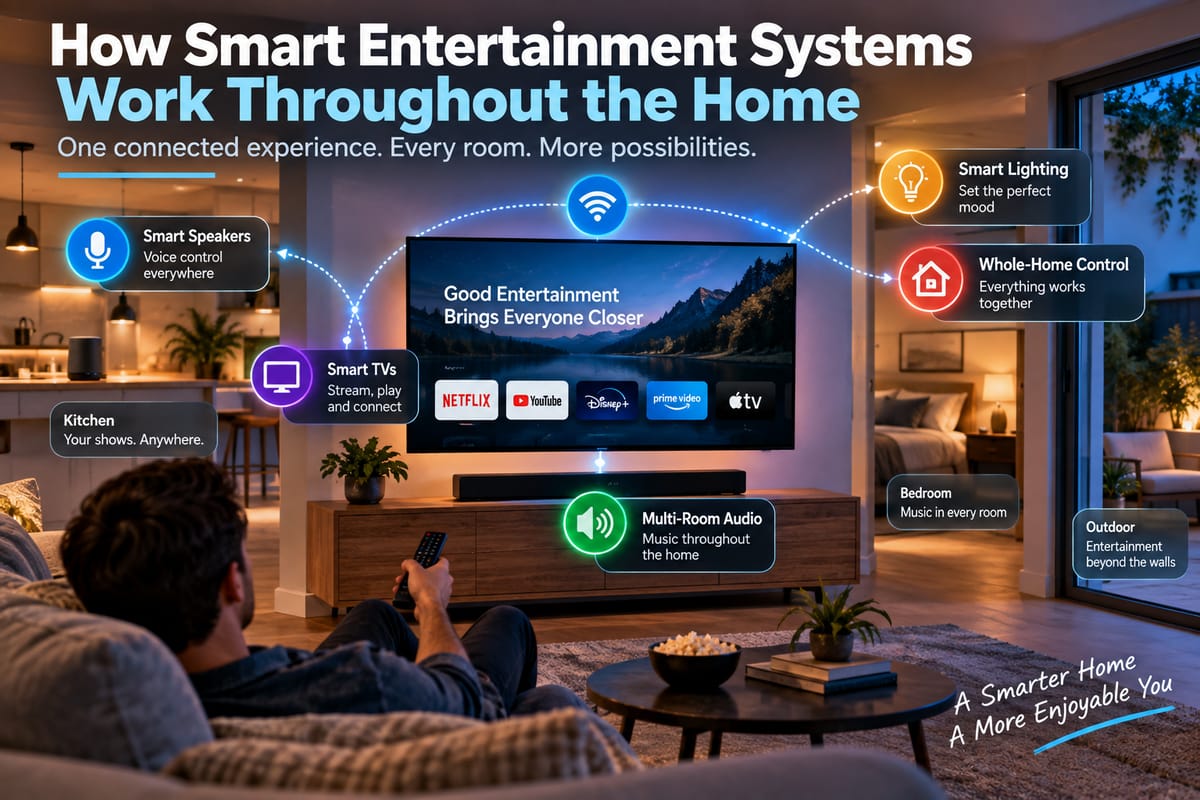
Smart entertainment has moved well beyond a television connected to a streaming service. In many modern homes, TVs, speakers, soundbars, streaming devices, game consoles, lighting, and even voice assistants can work together as part of one connected entertainment environment.
Instead of treating each device as a separate piece of technology, a smart entertainment system allows different components to communicate and respond to commands across the home. A person might start a movie in the living room, control the volume from a phone, send music to speakers in another room, and adjust the lighting without walking over to a switch.
The result is an entertainment experience that feels less like operating individual gadgets and more like managing one coordinated system.
Understanding how these systems work requires looking at the devices themselves, the network connecting them, the software coordinating them, and the standards that allow products from different manufacturers to communicate.
What Is a Smart Entertainment System?
A smart entertainment system is a collection of connected devices that can be controlled individually or collectively through a home network, mobile application, voice assistant, remote control, or central smart home platform.
A typical system might include:
- A smart television
- Streaming media players
- Soundbars or AV receivers
- Wireless speakers
- Smart speakers
- Game consoles
- Smartphones and tablets
- Smart lighting
- Voice assistants
- Home theater equipment
- Network routers
- Smart home hubs or controllers
The key difference between a traditional entertainment setup and a smart one is connectivity.
A conventional television may simply receive a signal and display content. A connected television can communicate with other devices, access online services, receive commands from smartphones, and participate in automated routines.
This broader approach is one reason entertainment has become an important part of modern smart homes. For a wider look at connected residential technology, the Complete Guide to Smart Homes provides a useful overview of how different smart devices work together.
How Devices Communicate With Each Other
At the center of most smart entertainment systems is the home network.
Devices generally communicate through Wi-Fi, Ethernet, Bluetooth, or other wireless technologies. Wi-Fi is particularly important because it allows televisions, speakers, streaming devices, smartphones, and other equipment to exchange information without requiring separate cables throughout the house.
For example, when a homeowner uses a smartphone to control a smart television, the phone and television may communicate through the same Wi-Fi network. The phone can send instructions such as play, pause, change volume, or select a different application.
Some devices communicate directly, while others rely on a central platform to coordinate interactions.
This distinction becomes increasingly important as the number of connected devices grows.
The Role of a Smart Home Hub
A smart home hub can act as a central point for managing compatible connected devices. Depending on the platform, it may help coordinate entertainment equipment alongside lighting, security, climate controls, and other smart-home products.
For entertainment, a hub or centralized platform can simplify complicated interactions.
Instead of separately controlling a television, speaker system, and lights, a homeowner may create a routine such as “movie time.” A single command could then turn on the television, switch the audio system to the appropriate input, dim compatible lights, and activate other connected devices.
Not every smart entertainment setup requires a dedicated physical hub. Some systems rely primarily on cloud services, mobile applications, smart speakers, or software platforms.
For a deeper explanation of centralized control, the Complete Guide to Smart Home Hubs explores how hubs function and why they can matter when multiple smart devices are connected.
How Voice Assistants Control Entertainment
Voice control has become one of the easiest ways to interact with smart entertainment systems.
A homeowner might say a command to play music, pause a television program, increase the volume, switch on a compatible device, or send audio to another room.
The voice assistant typically receives the spoken command through a smart speaker, smartphone, television, or another microphone-equipped device. Software then interprets the request and determines which connected service or device should respond.
For example, a command to play music in the kitchen could trigger a compatible speaker in that room without requiring the user to manually open an application.
Voice control becomes particularly useful when several devices are connected because it can provide a common interface for otherwise unrelated equipment.
The technology behind this interaction is explained in greater detail in How Smart Speakers and Voice Assistants Control Connected Home Devices.
Multi-Room Audio Explained
One of the most noticeable advantages of connected entertainment technology is multi-room audio.
Instead of playing music through one speaker, homeowners can use multiple compatible speakers around the house. Depending on the system, the same music can play throughout several rooms, or each room can play something different.
For example:
- The kitchen can play a podcast.
- The living room can play music.
- A bedroom can remain silent.
- Outdoor speakers can play a separate playlist.
Some systems allow users to group speakers temporarily. Others allow permanent room configurations to be created within an application.
Synchronization is especially important when the same audio is played across several rooms. If speakers receive the audio at noticeably different times, the result can sound like an echo. Smart audio platforms therefore use synchronization mechanisms to keep playback aligned.
How Smart TVs Fit Into the System
The smart television is often the visual center of a home entertainment network.
Modern smart TVs can connect directly to streaming platforms, home networks, smartphones, wireless speakers, gaming systems, and other devices.
A television can also serve as a control point for certain smart-home functions. Depending on the manufacturer and ecosystem, users may be able to access connected devices, launch entertainment applications, or control compatible equipment from the TV interface.
Screen-sharing and casting technologies add another layer of flexibility.
A person can potentially send photographs, videos, music, or other content from a smartphone or computer to a compatible television without physically connecting the two devices with a cable.
Streaming Devices and Entertainment Platforms
Streaming devices are another important component of many smart entertainment systems.
A streaming device connects a television to online entertainment services and may provide a more consistent interface than the software built into the TV itself.
These devices can also become part of broader automation routines.
For example, a homeowner could create a movie-night routine that launches a preferred streaming device, switches the television to the correct input, adjusts compatible lighting, and activates a connected sound system.
The exact capabilities depend on the devices and platforms involved, but the underlying concept is the same: several individual actions are coordinated into one experience.
Smart Lighting Can Change the Entertainment Experience
Entertainment systems increasingly interact with lighting.
Smart bulbs and switches can be programmed to change brightness, color, or on/off status based on a particular activity.
A movie routine might dim the main lights, turn off unnecessary lamps, and leave a small amount of background illumination. A gaming routine could use a different lighting configuration.
This illustrates an important characteristic of smart homes: entertainment does not have to remain isolated from other household systems.
A television, sound system, lighting network, and voice assistant can potentially participate in the same automated routine when their platforms are compatible.
Why Compatibility Matters
One of the biggest challenges with smart entertainment systems is compatibility.
Two devices may both be described as “smart” but still fail to work together seamlessly.
Compatibility can depend on:
- Wireless standards
- Smart-home platforms
- Operating systems
- Manufacturer ecosystems
- Supported applications
- Communication protocols
- Account requirements
- Firmware versions
A television might work with one voice assistant but not another. A smart speaker may support multi-room audio with devices from the same ecosystem while offering limited functionality with competing products.
This is why compatibility should be considered before buying new equipment rather than after everything has been installed.
The broader issue is covered in Understanding Smart Home Integration and Compatibility.
The Importance of a Reliable Home Network
A smart entertainment system is only as reliable as the network supporting it.
Streaming high-quality video requires significant bandwidth, while multi-room audio and numerous connected devices increase the amount of traffic moving across a home network.
A weak wireless signal can lead to:
- Buffering
- Audio interruptions
- Delayed commands
- Devices disconnecting
- Poor video quality
- Problems discovering other devices
Router placement can therefore have a major impact on entertainment performance.
Large homes, homes with thick walls, and properties with multiple floors may benefit from a mesh Wi-Fi system or strategically positioned access points.
Wired Ethernet connections can also be useful for devices that require consistently high network performance, such as televisions, gaming systems, desktop computers, and streaming equipment.
How Automation Makes Entertainment More Convenient
Automation is what can turn a collection of connected entertainment products into a coordinated system.
Instead of manually performing several actions, users can create routines based on activities, schedules, or commands.
A “movie night” routine might:
- Turn on the television.
- Start a streaming device.
- Select the appropriate sound system.
- Lower the lights.
- Close compatible motorized blinds.
- Set the room to a preferred environment.
A “morning” routine could perform completely different actions, such as playing news or music through a kitchen speaker while turning on selected lights.
These routines reduce the number of individual commands required to operate the home.
What Happens When You Move From Room to Room?
Modern entertainment systems can also make it easier to continue an activity as someone moves around the house.
For example, a person might listen to music in the living room and then move to the kitchen. Depending on the platform, the user may be able to transfer playback to another speaker or group multiple speakers together.
Some ecosystems provide particularly sophisticated handoff capabilities, while others rely on manual controls.
The general goal is to make entertainment less dependent on a single physical location.
Smart Entertainment and Mobile Devices
Smartphones and tablets remain important even in homes with extensive voice control.
Mobile applications can provide detailed control over entertainment systems, including:
- Playback
- Volume
- Device selection
- Speaker grouping
- Streaming services
- Media libraries
- Lighting scenes
- Automation routines
- System settings
A phone can also function as a remote control when a physical remote is unavailable.
Because most people already carry a smartphone, it can serve as a convenient interface for managing connected entertainment without requiring another dedicated controller.
Cloud Services and Local Control
Many smart entertainment systems rely on cloud services.
Cloud-connected platforms can allow users to access devices remotely, synchronize account information, update software, and connect different services.
However, cloud dependence can also create limitations.
If an internet connection fails, some cloud-dependent functions may stop working even though the local network and devices remain powered.
Other systems provide greater local control, allowing certain commands to continue working within the home without an internet connection.
When designing a smart entertainment setup, it is worth understanding which features require internet access and which continue operating locally.
Security and Privacy Considerations
Connected entertainment devices can introduce privacy and security considerations because many contain microphones, cameras, network connections, or accounts containing personal information.
Smart TVs, speakers, streaming devices, and other connected products should be kept updated with current software and firmware.
Users should also:
- Use strong, unique passwords.
- Enable multifactor authentication where available.
- Review microphone and camera permissions.
- Disable unnecessary features.
- Use a secure home Wi-Fi password.
- Check privacy settings.
- Remove devices that are no longer used.
- Purchase products from manufacturers that provide reasonable security support.
Voice assistants deserve particular attention because they may continuously listen for a wake word. Users should understand how voice recordings are handled and what controls are available for reviewing or deleting stored activity.
What Happens When Devices From Different Brands Are Used?
Mixed-brand systems can work, but they may require more planning.
A homeowner might have a television from one manufacturer, speakers from another, smart lights from a third, and a voice assistant from a fourth.
If all four support a common platform or compatible standards, they may work together reasonably well. If they operate within isolated ecosystems, users may need multiple applications and separate controls.
This is one reason choosing a smart-home ecosystem before purchasing large numbers of devices can make future expansion easier.
The objective is not necessarily to buy everything from one company. Instead, homeowners should determine which platforms and standards their most important devices support.
How Smart Entertainment Systems Can Save Time
The main advantage of connected entertainment is not necessarily having more gadgets. It is reducing friction.
A traditional entertainment setup may require several remotes and manual adjustments.
A connected setup can potentially combine those actions.
Instead of searching for the television remote, soundbar remote, lighting controls, and streaming-device remote, a user may be able to perform many tasks through one application, voice assistant, or automation.
That convenience becomes more noticeable as the system grows.
Common Problems With Smart Entertainment Systems
Smart entertainment systems can also create their own problems.
Devices may occasionally disappear from a network, lose connection, require firmware updates, or stop communicating after a router or software change.
Common troubleshooting steps include:
- Checking that the device has power.
- Confirming that it is connected to the correct network.
- Restarting the affected equipment.
- Checking for software or firmware updates.
- Verifying account and application settings.
- Checking whether the devices are still compatible.
- Restarting the router if multiple devices are affected.
It is also helpful to avoid making the system unnecessarily complicated.
Every additional device introduces another potential point of failure.
Building a Smart Entertainment System Step by Step
Homeowners do not need to transform an entire house at once.
A practical approach is to start with the room where entertainment is used most frequently.
A basic progression could look like this:
Step 1: Start With the Main Screen
Choose a smart TV or streaming device that supports the services and platforms you expect to use.
Step 2: Add Better Audio
A soundbar, AV receiver, or compatible wireless speakers can improve the experience considerably.
Step 3: Establish Your Smart-Home Platform
Choose the ecosystem you want to use for voice control, automation, and device integration.
Step 4: Add Multi-Room Audio
If music throughout the home is important, introduce compatible speakers in additional rooms.
Step 5: Add Smart Lighting
Lighting can be connected to entertainment routines for a more immersive experience.
Step 6: Create Simple Automations
Start with practical routines rather than complicated ones. A movie routine or music routine is often enough to demonstrate the value of automation.
Step 7: Expand Gradually
Once the system works reliably, additional rooms and devices can be added.
The Future of Whole-Home Entertainment
The direction of smart entertainment is increasingly toward integration.
Instead of thinking about a television, speaker, light, and streaming device as separate products, manufacturers are designing systems in which these technologies interact.
Artificial intelligence may also make entertainment interfaces more conversational and personalized. Instead of navigating menus manually, users could increasingly describe what they want and allow software to select content, adjust settings, or coordinate multiple devices.
At the same time, interoperability will remain important. Consumers generally benefit when devices from different manufacturers can communicate without requiring complicated workarounds.
The most useful smart entertainment systems are therefore unlikely to be the ones with the largest number of gadgets. They will be the systems that make everyday activities simpler, more reliable, and easier to control.
Turning a House Into One Connected Entertainment Environment
Smart entertainment systems work throughout the home by combining connected devices, networking technology, software platforms, and automation.
The television may provide the main screen, speakers deliver audio, streaming devices provide content, smartphones offer detailed control, voice assistants provide hands-free commands, and smart lighting can change the atmosphere around the experience.
The real value comes from connecting those individual components.
When compatibility is considered from the beginning and the home network is reliable, a smart entertainment system can grow naturally from a single living-room setup into a coordinated whole-home experience. Instead of simply adding more technology, homeowners can build an environment in which the technology works together quietly in the background.