How Smart Home Device Names Affect Voice Control
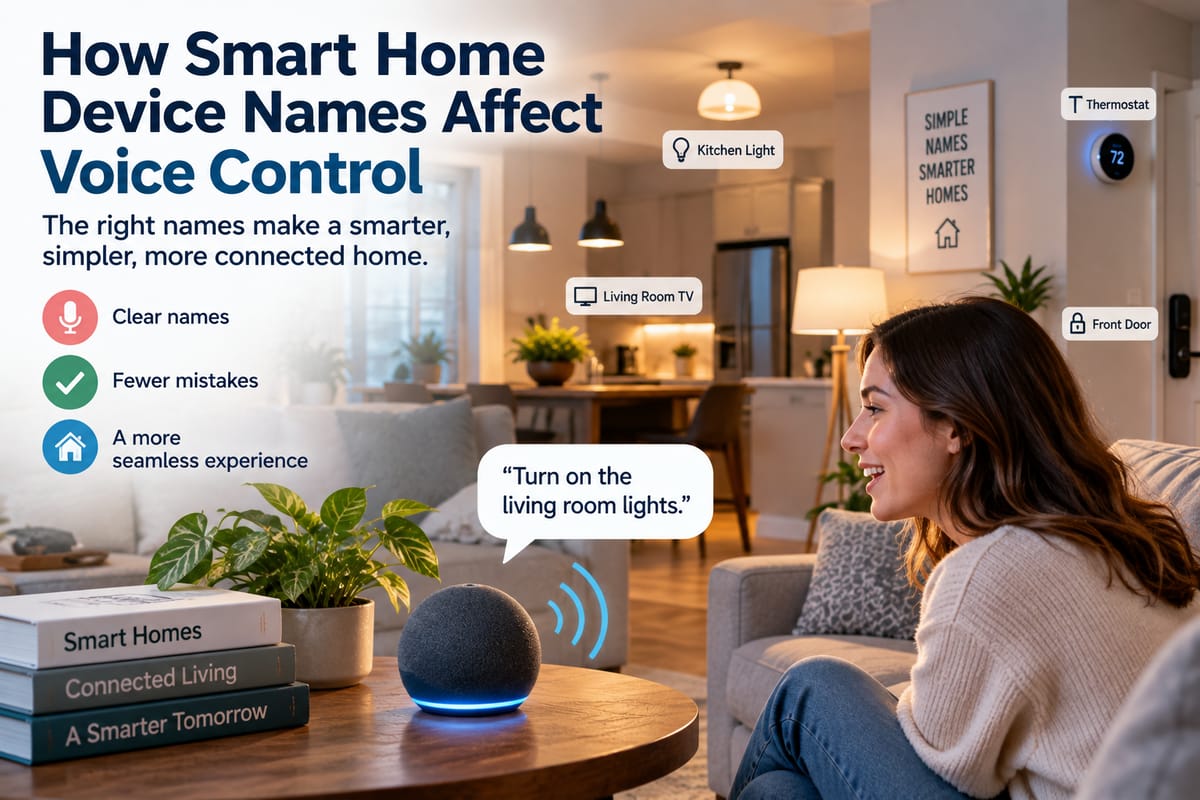
How Smart Home Device Names Affect Voice Control
Voice control has become an important part of the connected home. Instead of opening an app or walking to a wall switch, homeowners can use spoken commands to turn lights on, adjust thermostats, lock doors, control entertainment systems, and interact with other connected devices.
But voice assistants need to understand what a homeowner is asking for, and device names play an important role in that process.
A smart home with dozens of devices can become difficult to control when names are vague, repetitive, overly complicated, or inconsistent. Saying “turn on the light” may work when there is only one relevant light, but it becomes much less useful when a home has several rooms, multiple lamps, smart bulbs, and connected switches.
Thoughtful naming can make voice control more predictable, easier to remember, and less frustrating.
Why Device Names Matter in a Smart Home
A smart home can contain many different connected products, including:
- Smart lights
- Thermostats
- Door locks
- Security cameras
- Smart plugs
- Speakers
- Televisions
- Fans
- Blinds
- Sensors
- Appliances
- Garage-door controllers
Each device needs an identifiable name within the smart home platform.
For people building or expanding smart homes, naming may seem like a minor setup detail. However, names become increasingly important as the number of connected devices grows.
A good name gives the voice assistant useful information about which device the homeowner wants to control.
How Voice Assistants Interpret Device Names
When someone gives a voice command, the voice assistant needs to identify the intended action and the relevant device.
Consider a command such as:
“Turn on the bedroom lamp.”
The system needs to determine:
- The requested action is to turn something on.
- The target is a lamp.
- The intended location is the bedroom.
- The specific device matching those characteristics should be controlled.
If several devices have similar names, the assistant may have difficulty determining which one the user means.
This is why naming conventions become more important as a smart home becomes more complex.
Simple Names Are Usually Easier to Remember
A device name should be recognizable to the people who actually use the home.
Names such as:
- Bedroom Lamp
- Kitchen Light
- Hallway Light
- Living Room Fan
- Upstairs Thermostat
- Front Door Lock
are generally easier to remember than names containing long strings of numbers, manufacturer terminology, or unnecessary descriptions.
The objective is not to create technically sophisticated names. It is to create names that make sense when spoken naturally.
Location-Based Names Can Reduce Confusion
Room or location names can help distinguish devices that perform similar functions.
Imagine a home with four smart lights named simply:
- Light 1
- Light 2
- Light 3
- Light 4
These names may technically identify the devices, but they do not provide useful context to someone trying to control them with a voice command.
Names such as:
- Kitchen Light
- Dining Room Light
- Bedroom Light
- Office Light
make the intended device much easier to identify.
Location-based naming can become particularly useful when several devices perform the same function.
Avoid Giving Multiple Devices Nearly Identical Names
Names that differ by only one word or number can create confusion.
For example:
- Bedroom Light
- Bedroom Light 2
- Bedroom Light 3
may become difficult to distinguish during voice commands.
A better approach might be:
- Bedroom Ceiling
- Bedroom Bedside
- Bedroom Desk
These names describe the physical purpose or location of each device more clearly.
The best naming scheme depends on the size and layout of the home, but meaningful distinctions are generally easier for people to remember.
Use Names That Sound Natural When Spoken
Smart home names are not just labels displayed on a screen. They are words that people may say repeatedly.
For this reason, names should sound natural in ordinary conversation.
Compare:
“Turn on Living Room Lamp.”
with:
“Turn on LVRM-LMP-01.”
The first is easier to remember and more natural to say.
When naming devices, imagine using the name several times a day. If it feels awkward to say, it may not be a good voice-control name.
Keep Naming Conventions Consistent
Consistency becomes increasingly important as the number of devices grows.
A household might choose a naming structure such as:
[Room] + [Device Type]
Examples:
- Kitchen Light
- Kitchen Fan
- Kitchen Speaker
- Bedroom Light
- Bedroom Fan
- Bedroom Speaker
Another household might prefer:
[Room] + [Specific Location]
Examples:
- Bedroom Ceiling
- Bedroom Bedside
- Bedroom Desk
- Living Room Sofa
- Living Room TV Wall
Either approach can work if it remains consistent.
Think About Groups as Well as Individual Devices
Many smart home platforms allow devices to be organized into rooms, groups, scenes, or routines.
This means homeowners may not always need to name every device in a way that describes every possible action.
For example, a room may contain several lights that can be controlled together.
Instead of issuing separate commands for every bulb, a homeowner might use a room-level command such as:
“Turn off the bedroom lights.”
This can make voice control more efficient.
Room Names Can Simplify Voice Commands
Smart home platforms often associate devices with rooms.
This allows commands to be more conversational.
For example:
“Turn off the kitchen.”
may control multiple compatible devices assigned to the kitchen, depending on the platform.
Similarly:
“Set the bedroom temperature to 20 degrees.”
may target the thermostat associated with that room.
The exact behavior depends on the voice assistant and smart home platform.
How Smart Speakers Connect Names With Devices
Smart speakers and voice assistants act as an interface between spoken commands and connected devices.
How smart speakers and voice assistants control connected home devices provides broader context on how this communication works.
A typical process can involve:
- The microphone detects a spoken command.
- The voice assistant processes the speech.
- The system identifies the intended action.
- The platform matches the device or group.
- The command is sent to the relevant smart home system.
- The device performs the requested action.
- The user receives a response or observes the result.
Device names form part of the information the system uses when identifying the target.
Avoid Names That Can Be Easily Misheard
Voice recognition is not perfect.
Background noise, accents, speech patterns, similar-sounding words, and unusual names can all contribute to recognition problems.
For that reason, avoid names that sound almost identical to one another.
For example, using names such as:
- Hall
- Haul
- Whole
would create unnecessary ambiguity in spoken commands.
Clear and distinct names can reduce the likelihood of confusion.
Be Careful With Numbers
Numbers can sometimes be useful, especially in larger homes with many similar devices.
For example:
- Bedroom Fan 1
- Bedroom Fan 2
can distinguish two identical devices.
However, numbers are not always ideal if they do not communicate where the devices are located.
Names such as:
- Bedroom Left Fan
- Bedroom Right Fan
may be easier for household members to understand if those positions are stable.
The naming method should reflect how people naturally describe the devices.
Avoid Manufacturer Model Names
Smart devices often arrive with technical product names or model numbers.
These may be useful for maintenance and identification within an app, but they are usually not ideal for everyday voice commands.
A device might appear in an application as something resembling a model number or manufacturer-specific label.
Renaming it to something meaningful, such as “Office Desk Lamp,” can make everyday control much easier.
Technical information can still be retained elsewhere for troubleshooting or warranty purposes.
Naming Matters More as the Home Grows
A household with three connected devices may not notice naming problems.
A home with 50 or 100 connected devices is a different story.
As more devices are added, homeowners may encounter:
- Duplicate names
- Similar room names
- Multiple devices performing the same function
- Confusing automations
- Overlapping groups
- Difficult-to-remember labels
A naming system established early can prevent the smart home from becoming difficult to manage later.
Smart Home Integration Also Affects Voice Control
Good naming cannot solve every smart home problem.
Devices also need to communicate appropriately with the voice assistant and the broader home automation system.
Understanding smart home integration and compatibility explains why compatibility between devices, platforms, and communication technologies matters when building a connected home.
A device may have a perfectly clear name but still fail to respond if:
- It is not compatible with the platform.
- Its integration has stopped working.
- It has lost connectivity.
- The account connection has expired.
- The device is offline.
- Permissions are incorrectly configured.
Naming is therefore one part of a larger voice-control system.
Avoid Changing Names Too Often
Once household members become accustomed to device names, changing them repeatedly can create confusion.
If a lamp has always been called “Bedroom Lamp,” suddenly renaming it “Bedside Light” means everyone needs to learn the new terminology.
Frequent renaming can also require adjustments to routines and automations.
Before changing a device name, consider whether the existing name is actually causing a problem.
Consider Who Uses the Home
Device names should make sense to everyone who regularly interacts with the smart home.
A naming system created by one person may seem obvious to them but confusing to another household member.
Before finalizing names, consider:
- What would a guest call the device?
- What term does the household normally use?
- Are children likely to use voice commands?
- Are there elderly household members who need simple commands?
- Does the name describe the physical location clearly?
Natural household language can be more useful than technical terminology.
Naming Scenes and Routines
Voice control often extends beyond individual devices.
Smart home systems can use scenes or routines that trigger multiple actions at once.
For example, a routine might be called:
- Good Morning
- Movie Time
- Bedtime
- Away Mode
- Dinner
- Relax
These names should also be easy to say and remember.
A scene called “Evening Automation Sequence 4” may work technically but is unnecessarily difficult to use conversationally.
Simple names can make routines feel more natural.
How Different Devices Can Work Together
A smart home becomes more powerful when devices can participate in coordinated routines.
For example, a “Good Night” command could potentially:
- Turn off selected lights
- Lock doors
- Adjust the thermostat
- Close smart blinds
- Turn off entertainment devices
How to make different smart home devices work together provides additional context on coordinating connected devices.
In these situations, clear names help homeowners understand which devices are included and make it easier to troubleshoot routines when something does not behave as expected.
Create a Naming Map for Larger Smart Homes
For a larger smart home, it can be useful to maintain a simple list of connected devices.
A naming map might include:
| Room | Device Name | Device Type | Group |
|---|---|---|---|
| Living Room | Ceiling Light | Light | Living Room Lights |
| Living Room | Sofa Lamp | Light | Living Room Lights |
| Kitchen | Counter Light | Light | Kitchen Lights |
| Bedroom | Bedside Lamp | Light | Bedroom Lights |
| Office | Desk Lamp | Light | Office Lights |
This can be especially useful when multiple household members configure devices or when troubleshooting becomes necessary.
Test Names With Real Voice Commands
A name may look perfect in an app but sound awkward when spoken.
After naming a device, test it using the commands you expect to use regularly.
Try variations such as:
- “Turn on the kitchen light.”
- “Turn off the bedroom lamp.”
- “Dim the living room lights.”
- “Set the office thermostat to 21 degrees.”
If the assistant repeatedly misunderstands the command, consider changing the name or restructuring the device’s room and group assignments.
Testing is particularly important when several devices have similar names.
A Practical Naming Formula
There is no universal naming convention for every smart home, but a simple formula can work well:
Location + Function + Distinguishing Feature
For example:
- Bedroom Ceiling Light
- Bedroom Bedside Lamp
- Office Desk Lamp
- Kitchen Counter Light
- Living Room Floor Lamp
The distinguishing feature does not always need to be included. The goal is simply to make each device recognizable without making its name unnecessarily long.
Building a Voice-Friendly Smart Home
Device naming may seem like a small detail compared with cameras, locks, thermostats, and other smart home technologies, but it becomes increasingly important as the number of connected devices grows.
Clear, consistent, natural-sounding names give household members an easier way to communicate with voice assistants. Location-based labels, distinct device descriptions, sensible groups, and simple routine names can reduce confusion and make everyday commands easier to remember.
At the same time, naming works best when it is supported by reliable smart home integration and compatible devices. A well-organized system should make it clear not only what each device is called, but also where it belongs and how it interacts with the rest of the home.
A few minutes spent creating a thoughtful naming system can make a connected home feel considerably more intuitive—and make voice control much closer to the natural conversations people already have every day.