How Smart Homes Detect User Activity and Respond Automatically
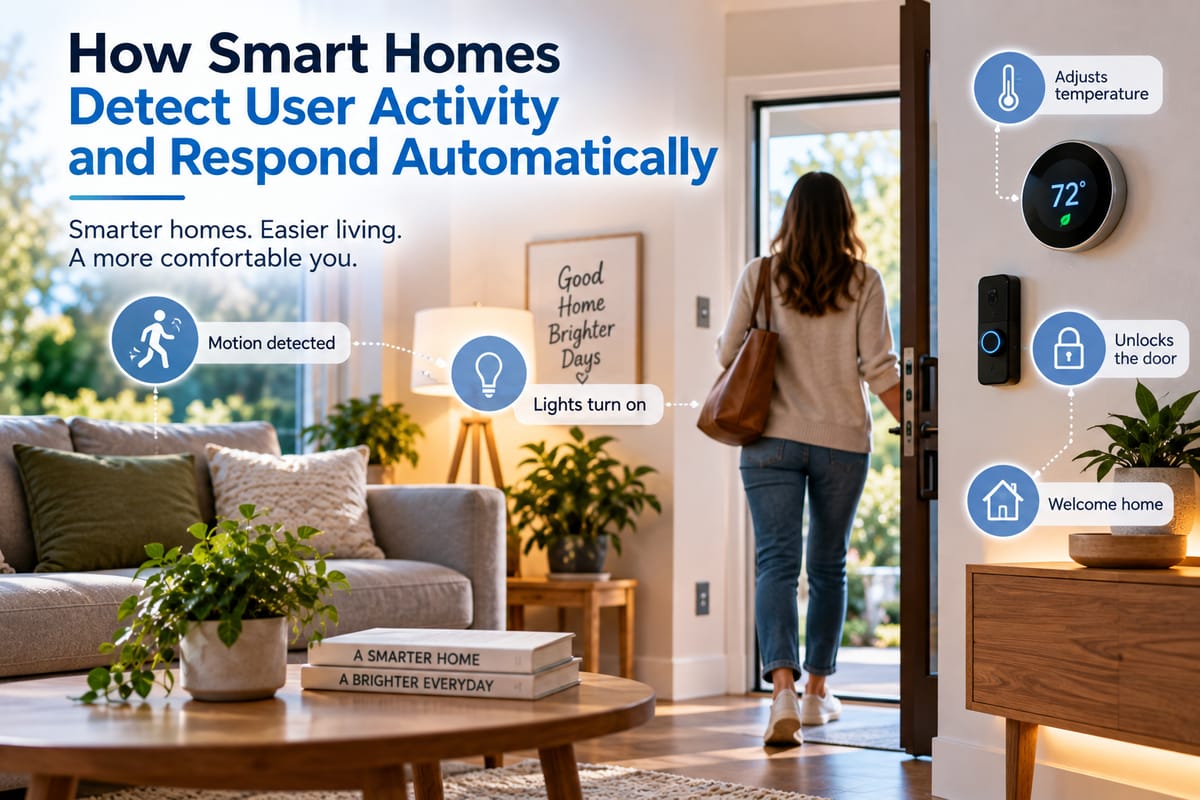
**How Smart Homes Detect User Activity and Respond Automatically
Smart homes are becoming increasingly responsive to the people who live in them. Instead of requiring someone to manually switch on lights, adjust the thermostat, close blinds, or activate security systems, connected devices can detect activity and respond automatically.
This ability comes from a combination of sensors, connected devices, software, automation rules, and sometimes artificial intelligence. Together, these technologies allow a home to recognize changes in its surroundings and react according to predefined preferences or conditions.
For homeowners exploring connected living, The Complete Guide to Smart Homes provides a broader introduction to how smart technologies can be used throughout the home.
What Does User Activity Detection Mean?
User activity detection refers to a smart home’s ability to identify signs that someone is present, moving through a space, entering a room, leaving the house, or performing a particular activity.
The system does not necessarily need to know exactly who a person is. In many situations, it only needs to recognize an event or pattern.
For example, a smart home might detect:
- Someone entering a room
- Movement across a hallway
- A door opening
- A person leaving the house
- Changes in occupancy
- Someone approaching the front door
- Increased activity in a particular area
- A change in lighting conditions
- A change in temperature or air conditions
- A connected device being used
Once the system detects an event, automation rules can determine what should happen next.
Sensors Are the Foundation of Activity Detection
Sensors provide much of the information smart homes use to understand what is happening.
Different sensors are designed to detect different types of changes. Motion sensors can identify movement, door and window sensors can detect whether an opening has changed state, and occupancy sensors can provide information about whether a space is being used.
Environmental sensors can also contribute useful information. Temperature, humidity, light, and air-quality measurements can help a system understand the conditions inside a room.
For example, a smart lighting system might use motion detection together with ambient-light measurements. If movement is detected in a dark hallway, the system could turn on a light. During daylight hours, the same movement might not trigger the light because sufficient natural illumination is already available.
How Motion Sensors Detect Movement
Motion sensors are among the most familiar technologies used in smart homes.
Many common motion sensors use passive infrared technology, which detects changes in infrared radiation associated with warm objects moving through an area. Other systems can use technologies such as microwave sensing or more advanced occupancy-detection methods.
A sensor does not need to see a person in the same way a conventional camera does. Instead, it detects a change that matches the characteristics of movement.
This makes motion sensors useful for tasks such as:
- Turning lights on when someone enters
- Activating hallway lighting at night
- Triggering security alerts
- Starting ventilation in certain circumstances
- Detecting activity in normally empty rooms
- Initiating customized automation routines
Occupancy Detection Can Go Beyond Motion
Motion detection and occupancy detection are not exactly the same.
A basic motion sensor may determine that something moved recently. If a person sits still for an extended period, the sensor might eventually stop detecting movement even though the person remains in the room.
Occupancy-focused systems can use additional information to determine whether a space is still occupied.
Some newer approaches combine multiple types of sensors or use technologies capable of detecting more subtle changes. This can make automation more reliable in situations where people remain relatively stationary.
For example, an occupancy-aware system could potentially keep lights or climate controls active while someone is reading, working at a desk, or watching television rather than assuming the room is empty.
Door and Window Sensors Provide Context
Contact sensors are another simple but useful source of information.
A sensor attached to a door or window can detect whether it is open or closed. When combined with other devices, that information can trigger useful automation.
For example, opening a front door could trigger an entryway light. Closing the door after leaving could cause selected lights to switch off or activate a security routine.
A window sensor could also interact with a heating or cooling system. Depending on the automation design, opening a window might temporarily change how climate equipment operates.
These simple events can become powerful when multiple devices respond to them.
Cameras Can Add Another Layer of Detection
Smart cameras can provide more detailed information than basic motion sensors.
Depending on the device and its capabilities, computer vision software may be able to distinguish between different types of movement or identify particular objects. Some systems can recognize people, vehicles, animals, or packages.
This can allow more specific automation.
For instance, a security camera might detect activity near a front entrance and send an alert. A system could also combine camera information with door sensors to reduce unnecessary notifications.
However, cameras introduce important privacy considerations because they can capture visual information about people and their surroundings. Homeowners should carefully consider where cameras are installed, what they record, how recordings are stored, and who can access them.
Environmental Sensors Help Smart Homes Understand Context
User activity is not always detected through movement alone.
Environmental information can provide important context. A smart home may consider temperature, humidity, light levels, air quality, or other measurements when deciding how to respond.
The article How Smart Home Sensors Monitor Indoor Conditions is particularly relevant to understanding how these sensors can track changes inside a home and contribute to automated decisions.
Consider a bedroom as an example. A system might combine occupancy information with temperature and lighting data. If someone enters the room in the evening, the system could interpret those conditions differently from someone entering the same room during the afternoon.
Context makes automation more useful because the same activity does not always require the same response.
How Smart Home Automation Rules Work
After a smart home detects an event, automation software determines whether a response should occur.
A basic automation follows a simple structure:
Trigger → Condition → Action
For example:
Motion detected → It is after sunset → Turn on hallway lights
Another automation might look like:
Front door opened → Someone is home → Turn on entryway lighting
More sophisticated systems can contain several conditions and actions.
A homeowner could create a routine that responds differently depending on the time, day, occupancy status, weather conditions, or activity detected in another part of the house.
Smart Homes Can Combine Multiple Signals
The most useful automation systems do not necessarily rely on one sensor.
Multiple signals can be combined to improve context.
Imagine a home where a motion sensor detects movement near the entrance. On its own, that could mean someone is entering, someone is leaving, or an object has moved.
But if the system also knows that the front door has opened, the security system has been disarmed, and the home’s occupancy status has changed, it has more information to work with.
Combining signals can reduce unnecessary automation and make responses more appropriate.
Time of Day Changes How a Home Responds
Smart homes can also use time as part of activity detection and automation.
The same event can produce different results depending on when it occurs.
Motion in a hallway at midday might not require any lighting response. The same movement at 2 a.m. could trigger low-level lighting designed to help someone move around without turning on bright overhead lights.
Similarly, opening curtains in the morning might be desirable, while the same action late at night would make little sense.
Time-based rules help smart homes respond according to daily routines rather than treating every event identically.
Location Can Influence Automation
Some smart home systems can use information about where household members or devices are located.
A smartphone, wearable device, or other connected technology may provide information that helps determine whether someone is approaching or leaving the home.
This can support automations such as adjusting the home’s status when occupants leave or preparing certain systems when someone returns.
Location-based automation should be designed carefully because it involves information about people’s movements. Privacy settings, account security, and appropriate access controls become especially important when location information is involved.
Artificial Intelligence Can Make Responses More Adaptive
Traditional smart home automation generally depends on rules created in advance.
Artificial intelligence can introduce a more adaptive approach by analyzing patterns and helping systems respond to changing circumstances.
For example, a system could potentially learn that lights are regularly turned on in a particular room at certain times or that occupants typically adjust the temperature after returning home.
Instead of requiring homeowners to program every individual scenario, an intelligent system could use patterns to make suggestions or automate certain repetitive tasks.
However, adaptive automation should still give homeowners appropriate control. A system that makes unexpected decisions can become frustrating, even if its underlying technology is sophisticated.
Smart Home Devices Need to Communicate
Detecting activity is only part of the process. Devices must also be able to communicate and coordinate their responses.
A motion sensor might detect movement, but the light needs to receive that information before it can respond. Similarly, an occupancy sensor may provide information that a thermostat or ventilation system can use.
This is why connectivity and compatibility matter.
Learning how to make different smart home devices work together can help homeowners understand how separate products can participate in shared automation routines.
Compatibility Can Determine What Automation Is Possible
Not every smart home product can communicate with every other device.
Different manufacturers, communication technologies, platforms, and standards can affect compatibility. A homeowner may have several smart devices but still be unable to create a particular automation if those products cannot exchange the necessary information.
Understanding smart home integration and compatibility can therefore help people plan connected systems more effectively.
Compatibility is particularly important when building a smart home gradually. Choosing products with broader interoperability can reduce the likelihood of creating isolated groups of devices that cannot work together.
Everyday Examples of Automatic Responses
Activity-based automation can be applied throughout a home.
Lighting
A motion or occupancy sensor can activate lights when someone enters a room and turn them off after the space has been empty for a specified period.
Heating and Cooling
Occupancy information can help climate systems adjust settings according to whether rooms are being used.
Security
Door sensors, motion detectors, cameras, and other devices can work together to identify unusual activity and provide alerts.
Entertainment
A smart system could potentially adjust connected entertainment equipment when someone begins a particular routine, depending on the devices and automation platform involved.
Energy Management
Devices can reduce unnecessary energy consumption by switching off selected equipment when rooms or the entire home are unoccupied.
Why Automation Does Not Always Work Perfectly
Smart home technology can make mistakes.
A motion sensor might interpret a pet as human movement. An occupancy system could incorrectly determine that a room is empty. A camera might produce an unnecessary alert. A connected device could also lose its network connection.
These limitations are important because automation works best when homeowners understand that detection systems are not infallible.
Good automation design should therefore account for occasional errors. Critical security functions should not depend on a single sensor or an overly complicated chain of assumptions.
Privacy and Activity Monitoring
A smart home that detects activity necessarily processes information about what happens inside or around a property.
Depending on the devices involved, that information may include movement patterns, occupancy, location, video, audio, temperature, device usage, or other environmental data.
Homeowners should understand where this information is processed and stored. Some systems perform processing locally, while others may send information to cloud-based services.
Strong passwords, multi-factor authentication, software updates, careful permission management, and appropriate privacy settings can help reduce unnecessary exposure.
Privacy should be considered when choosing devices, not only after they have been installed.
Designing Automation Around Real Routines
The best smart home automations are usually the ones that solve recurring problems.
Rather than automating everything simply because it is possible, homeowners can begin with routines that are genuinely useful.
Examples include:
- Turning hallway lights on when movement is detected at night
- Adjusting lighting when a room becomes occupied
- Switching selected devices off when everyone leaves
- Sending an alert when a door opens unexpectedly
- Adjusting climate settings based on occupancy
- Creating morning and bedtime routines
- Automatically managing outdoor or security lighting
Simple automations are often easier to maintain and troubleshoot than complicated systems with dozens of interconnected conditions.
The Home Becomes More Responsive
Smart homes detect user activity by gathering information from sensors, connected devices, cameras, environmental monitors, and other technologies. Software then interprets these signals and uses automation rules to determine an appropriate response.
The technology is most valuable when it quietly removes repetitive tasks from everyday life. Lights can respond to movement, security systems can react to unexpected activity, and climate controls can adjust according to occupancy and environmental conditions.
At the same time, effective smart home design requires more than adding connected gadgets. Compatibility, privacy, reliability, and thoughtful automation all matter. When these elements work together, a smart home can become more responsive without becoming unnecessarily complicated.