How Wi-Fi Connects Smart Home Devices and Affects Reliability
**How Wi-Fi Connects Smart Home Devices and Affects Reliability
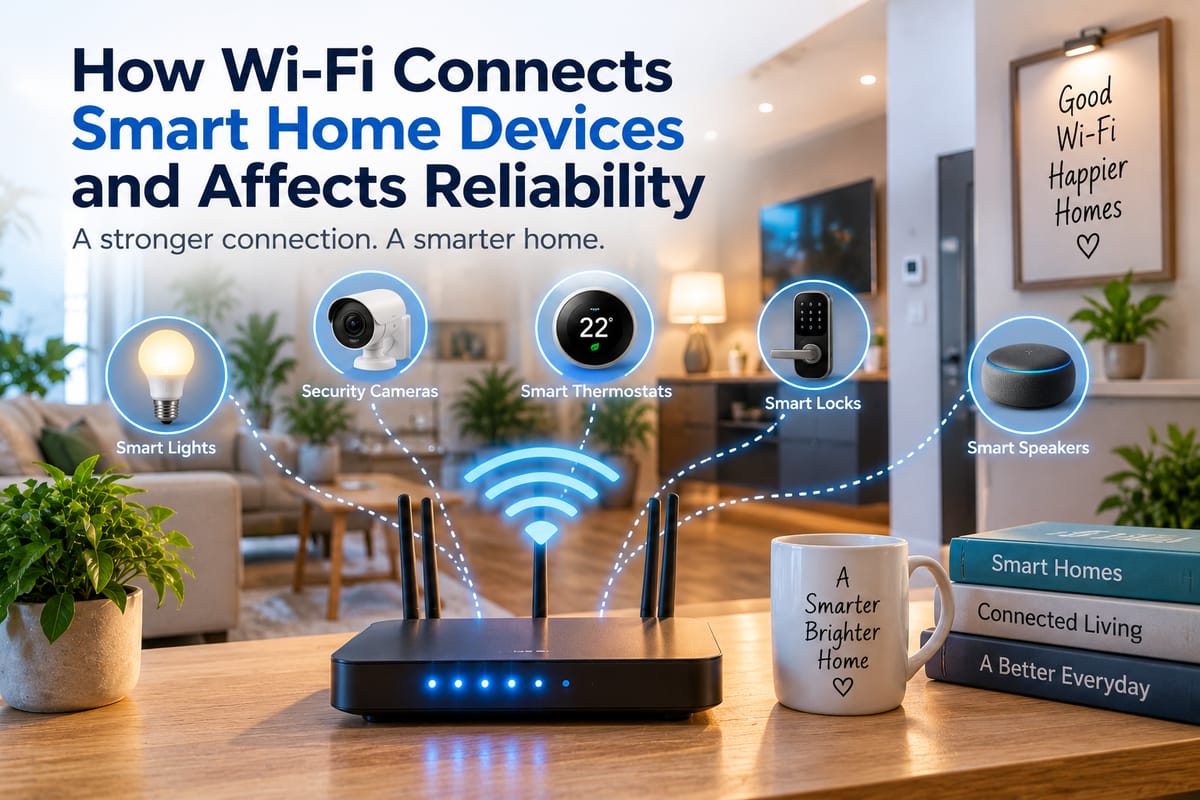
Wi-Fi has become one of the most important technologies behind the modern smart home. From smart speakers and security cameras to thermostats, lights, televisions, and appliances, many connected devices depend on a wireless network to communicate with phones, cloud services, and other devices.
That convenience can make a home feel seamlessly connected. However, it can also create a hidden dependency: when the Wi-Fi network becomes slow, congested, unstable, or unavailable, some smart home functions may stop working as expected.
Understanding how Wi-Fi connects smart home devices can make it easier to build a network that is both convenient and reliable.
How Wi-Fi Connects Smart Home Devices
A typical Wi-Fi smart home has several layers of communication.
A smart device first connects wirelessly to a router or wireless access point. The router then manages communication between devices on the local network and, when necessary, the wider internet.
For example, when someone uses a smartphone to control a Wi-Fi-connected light, the command may travel through several steps:
- The smartphone connects to the home’s Wi-Fi network.
- The control application communicates with the smart device or its associated service.
- The network sends the command to the appropriate device.
- The smart light receives and processes the command.
- The light changes its state.
The exact process depends on the device and platform. Some devices communicate directly over the local network, while others depend heavily on internet-based cloud services.
Why Wi-Fi Matters for Smart Home Reliability
A smart home is only as dependable as the communication systems supporting its connected devices.
When Wi-Fi is stable, commands can be delivered quickly and devices can maintain their connections. When the network experiences interference, weak coverage, congestion, or configuration problems, connected devices may respond slowly or disconnect altogether.
The effects can range from minor inconvenience to significant disruption.
A smart speaker might take longer to respond, while a security camera could temporarily lose its connection. A smart thermostat might become inaccessible through an application, and automated routines involving multiple devices may fail if one component cannot communicate.
This is why network design is an important part of smart home planning.
Wi-Fi Coverage Is Not the Same Everywhere
Wireless signals become weaker as they travel farther from the router, and physical obstacles can affect their performance.
Walls, floors, furniture, appliances, and other structures can reduce signal strength. Large homes or buildings with multiple floors can therefore have areas where Wi-Fi coverage is considerably weaker than it is near the router.
A smart device placed at the edge of wireless coverage may technically remain connected while experiencing an unreliable connection.
This can produce confusing behavior. A device may work normally for several hours and then disconnect, respond slowly, or fail to complete a command.
Network Congestion Can Affect Connected Devices
Smart homes can contain dozens of connected devices, and some households may have considerably more.
Phones, computers, televisions, game consoles, cameras, speakers, appliances, and smart home accessories can all compete for wireless network resources.
High-bandwidth devices are particularly relevant. Video streaming, large downloads, cloud backups, and security cameras can generate substantially more network traffic than simple sensors or light switches.
When many devices communicate simultaneously, a poorly configured or overloaded network may experience delays.
This does not necessarily mean that every smart home needs an expensive router. Instead, network capacity should be considered alongside the number and type of connected devices.
2.4 GHz and 5 GHz Wi-Fi Have Different Characteristics
Many modern routers provide multiple Wi-Fi frequency bands, commonly including 2.4 GHz and 5 GHz.
The 2.4 GHz band generally travels farther and can penetrate obstacles more effectively than 5 GHz, although it can also be more susceptible to congestion because many devices and technologies use the same band.
The 5 GHz band can offer higher speeds and additional capacity in suitable conditions, but its effective range is typically shorter.
For smart home devices, the fastest connection is not always the most important consideration. A simple sensor may require very little bandwidth but benefit from reliable coverage.
Choosing the appropriate network configuration depends on the device, its location, and the characteristics of the home.
Some Smart Home Devices Depend on the Internet
It is important to distinguish between Wi-Fi connectivity and internet connectivity.
A device can be connected to the local Wi-Fi network while the home’s internet connection is unavailable.
Whether the device continues to function depends on how it was designed.
Some smart home products can perform certain functions locally. Others rely on cloud services for authentication, automation, voice commands, remote access, or device management.
If an internet connection goes down, cloud-dependent functions may become unavailable even though the home’s local Wi-Fi network is still operating.
This distinction can be particularly important when choosing devices for critical functions such as security monitoring or access control.
Local Control Can Improve Resilience
Smart home systems that support local communication can sometimes continue performing certain tasks when internet access is interrupted.
For example, a local automation might allow a sensor and light to communicate within the home without sending every command through an external cloud service.
Local control can reduce dependence on internet availability and may also reduce latency for certain operations.
However, not every device supports local control, and the exact capabilities vary between manufacturers and platforms.
Understanding how different communication methods work is easier with a broader look at smart home protocols.
Smart Home Protocols Go Beyond Wi-Fi
Wi-Fi is only one of several technologies used in connected homes.
Other protocols and communication standards can serve different purposes. Some are designed for low-power sensors and switches, while others are intended to create dedicated networks for smart home devices.
This can reduce the number of devices competing directly for traditional Wi-Fi capacity.
A smart home may therefore contain a mixture of Wi-Fi devices and products that communicate through other technologies, depending on the ecosystem and hardware.
The choice of communication technology can influence range, power consumption, interoperability, responsiveness, and reliability.
Device Compatibility Still Matters
A strong Wi-Fi network does not automatically make every smart device work together.
Smart home products may use different ecosystems, applications, protocols, and standards. Two devices can both connect to the same Wi-Fi network but still lack the ability to communicate with each other directly.
For example, a smart sensor may connect successfully to the network but may not be supported by the automation platform controlling a particular light or thermostat.
This makes smart home integration and compatibility an important consideration when expanding a connected home.
Compatibility should ideally be considered before purchasing multiple devices rather than after installation.
Routers Play a Central Role
The router is effectively a traffic manager for many home networks.
It assigns network addresses, manages connections, and provides the path between local devices and the internet. Modern routers may also include features such as guest networks, parental controls, device prioritization, security settings, and multiple wireless bands.
For a smart home, router placement can be just as important as router specifications.
Placing the router in a central, elevated, and relatively unobstructed location can help provide more consistent wireless coverage than hiding it inside a cabinet or placing it at one extreme end of the building.
Mesh Wi-Fi Can Help Larger Homes
Homes with multiple floors, thick walls, or large floor plans may benefit from a mesh Wi-Fi system.
Instead of relying on one router to cover the entire building, mesh systems use multiple nodes to distribute wireless coverage.
The goal is to reduce weak-signal areas and provide more consistent connectivity throughout the home.
However, adding more access points is not automatically a solution to every networking problem. Poorly positioned nodes, wireless interference, or an inadequate connection between mesh points can still affect performance.
Network design should therefore account for the physical layout of the home.
Smart Cameras Need More Network Capacity
Not every smart home device places the same demand on Wi-Fi.
A simple door sensor might transmit only small amounts of information occasionally. A security camera, by contrast, can continuously transmit video.
Multiple cameras can therefore place considerably more demands on a wireless network, particularly when several are streaming simultaneously.
Homes with many cameras should consider bandwidth requirements, wireless coverage, and how video is stored. Wired network connections can also be useful for devices that remain in fixed locations and require consistently high bandwidth.
Battery-Powered Devices Have Different Needs
Smart locks, motion sensors, temperature sensors, and other battery-powered products are often designed to minimize energy consumption.
These devices may communicate less frequently than cameras or smart displays.
For such products, battery life and reliable low-power communication may matter more than raw network speed.
This is another reason why a smart home should not be evaluated solely by the internet speed advertised by an internet service provider.
Internet bandwidth, Wi-Fi coverage, wireless interference, device protocols, and local network configuration all influence how a connected home behaves.
Interference Can Cause Unpredictable Problems
Wireless networks operate alongside other electronic devices and wireless networks in the surrounding environment.
In densely populated areas, neighboring networks can contribute to congestion. Certain household appliances and physical structures can also affect wireless performance.
Interference may appear as intermittent disconnections rather than a complete network failure.
A device that repeatedly drops offline may therefore have a coverage or interference problem rather than a hardware defect.
Testing the device in another location can sometimes help determine whether the problem follows the device or its environment.
Network Security Is Part of Reliability
Reliability and security are closely connected.
A poorly secured network can expose smart home devices to unauthorized access, while compromised devices can potentially create additional risks for other systems connected to the same network.
Using strong Wi-Fi credentials, keeping router firmware updated, changing default administrative passwords, and using appropriate network segmentation features can strengthen the overall environment.
It can also be useful to separate guest devices from trusted home systems where the router supports appropriate network isolation.
A reliable smart home should not simply remain connected; it should remain connected in a controlled and secure manner.
Troubleshooting Smart Home Wi-Fi Problems
When a smart device becomes unreliable, troubleshooting can begin with a few straightforward checks.
First, determine whether the problem affects one device or many devices. If several devices disconnect simultaneously, the network itself may be the issue.
Next, consider the device’s distance from the router or access point. Moving a device temporarily closer can help identify a coverage problem.
Other useful checks include:
- Restarting the affected device
- Checking router status
- Confirming that the device has a stable Wi-Fi connection
- Updating device and router software
- Checking for excessive network traffic
- Reviewing wireless settings
- Moving the router or access point
- Testing whether the problem occurs at specific times
Persistent problems may require more detailed network analysis.
Planning a More Reliable Smart Home
A reliable connected home begins with a network designed around the home’s actual requirements.
Before adding dozens of devices, homeowners can consider how large the property is, where devices will be installed, how many devices will connect simultaneously, which products require high bandwidth, and whether critical functions need to continue during an internet outage.
The Complete Guide to Smart Home Networking provides a broader framework for understanding these networking considerations.
It is also useful to think about the smart home as an ecosystem rather than a collection of individual gadgets.
The Bigger Picture of Connected Living
Wi-Fi makes smart home technology convenient because it allows many devices to communicate without requiring a separate physical connection to each one. But convenience comes with dependencies.
Coverage, congestion, router performance, device compatibility, internet availability, security, and communication protocols can all influence the reliability of a connected home.
A well-designed smart home therefore starts with more than buying compatible-looking gadgets. It requires understanding how those devices communicate and what happens when part of the network becomes unavailable.
For anyone building or expanding a connected home, The Complete Guide to Smart Homes provides a broader foundation for understanding how devices, automation, connectivity, and home technology fit together.
The result does not have to be a complicated network. In many cases, reliable Wi-Fi coverage, sensible device placement, appropriate networking equipment, secure configuration, and careful product selection can provide the foundation needed for a smart home that remains responsive in everyday use.