How Multiple People Can Use Voice Assistants to Control One Smart Home
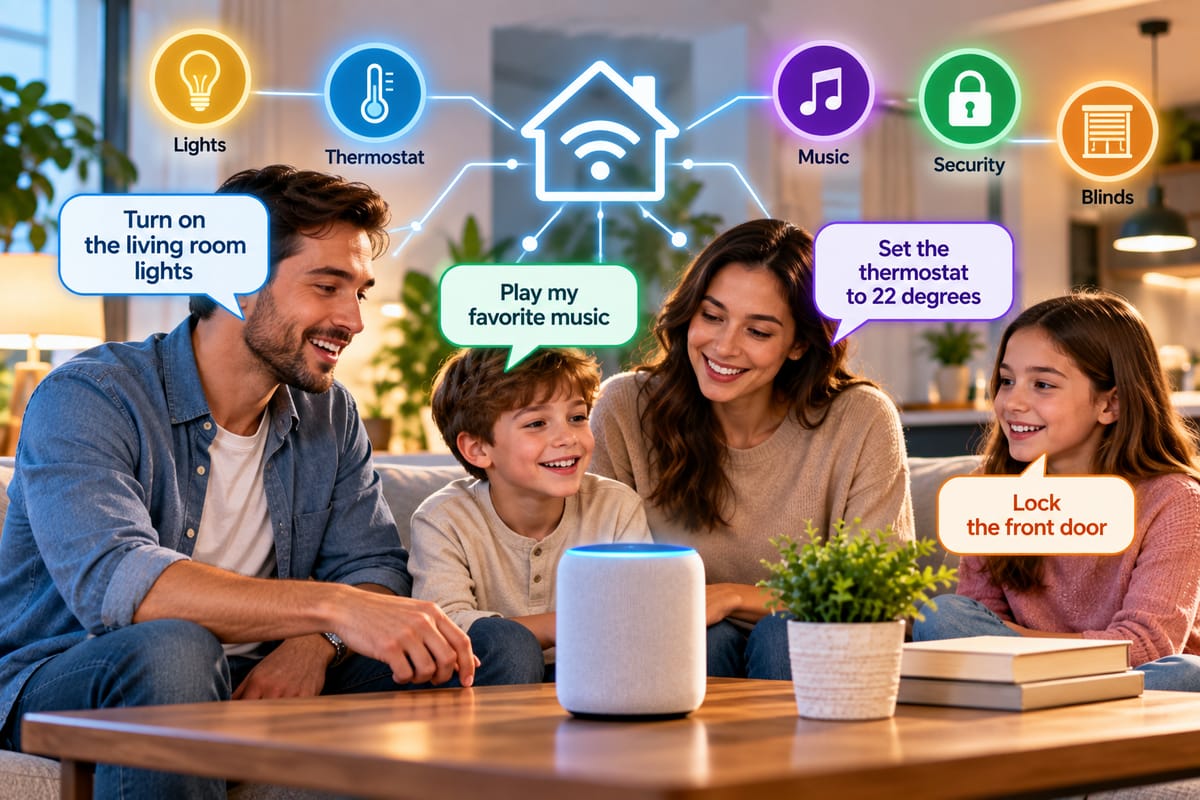
How Multiple People Can Use Voice Assistants to Control One Smart Home
Voice assistants can make a smart home feel remarkably convenient. A simple command can turn off the lights, adjust the thermostat, play music, lock compatible doors, or activate an entire routine.
But what happens when several people live in the same home?
A smart home is rarely controlled by just one person. Families, couples, roommates, guests, and caregivers may all need access to connected devices. The challenge is making sure everyone can use voice controls without creating confusion over accounts, permissions, device ownership, or conflicting commands.
The good news is that modern smart-home ecosystems are designed to support multiple users. With the right account structure, room organization, permissions, and compatible devices, several people can interact with the same connected home while maintaining personalized settings.
How Multi-User Voice Control Works
A voice assistant generally connects spoken commands to a smart-home platform. That platform then identifies the requested device or service and sends the appropriate instruction.
A simplified process looks like this:
Person speaks → Voice assistant recognizes command → Smart-home platform identifies device → Device receives command → Action occurs
For example, someone might say that the living-room lights should be turned off. The assistant interprets the request, identifies the relevant lights, and sends the command through the connected ecosystem.
The underlying structure is explained in more detail in How Smart Speakers and Voice Assistants Control Connected Home Devices.
When multiple people use the same home, the system must also determine which accounts, preferences, devices, and permissions apply to each person.
One Smart Home Can Have Multiple Users
A common misconception is that a smart home must belong to a single person.
In practice, many ecosystems allow a primary account holder to invite additional household members or share control of connected devices.
Depending on the platform and device, additional users may be able to:
- Control lights
- Adjust thermostats
- Operate smart plugs
- Play media
- Run routines
- Check compatible sensors
- Control appliances
- Access certain security functions
- Use voice commands from shared speakers
The exact capabilities vary between platforms and products.
A household should therefore distinguish between sharing a home and sharing one person’s personal account.
Why Individual Accounts Can Be Useful
Giving every household member access through their own account can provide several advantages.
Individual profiles can help separate personal information from shared household controls. They may also allow voice assistants to recognize different people and provide more personalized responses.
For example, a voice assistant might recognize one household member and use that person’s preferred music service, calendar, shopping list, or other supported personal service.
At the same time, everyone can still control shared devices such as:
- Kitchen lights
- Bedroom lights
- Thermostats
- Smart televisions
- Speakers
- Plugs
- Fans
- Appliances
This creates a useful distinction between personal services and shared home devices.
Set Up the Home as a Shared Environment
The foundation of a multi-user voice system is a properly organized smart-home environment.
Rather than configuring every device independently around individual users, it is generally easier to establish the home first and then add household members.
A basic structure might look like:
Smart Home
├── Living Room
│ ├── Lights
│ ├── Speaker
│ └── Television
├── Kitchen
│ ├── Lights
│ └── Smart Plug
├── Bedroom
│ ├── Lights
│ └── Fan
└── Outdoor Area
└── Lights
Room assignments make voice commands easier because people can refer to devices naturally.
Instead of remembering an unusual device name, someone can say that they want the kitchen lights turned off.
For households starting from scratch, The Complete Guide to Smart Homes provides broader context on how connected home systems are structured.
Use Clear Device and Room Names
Naming becomes especially important when several people use voice commands.
Poor naming can create ambiguity.
For example, having devices called:
- Light 1
- Light 2
- Lamp
- New Light
- Bedroom Device
can make voice control frustrating.
A more organized approach could use names such as:
- Living Room Ceiling
- Kitchen Island
- Main Bedroom Lamp
- Hallway Lights
- Patio Lights
The exact naming convention is less important than consistency.
Everyone in the household should understand what each name refers to.
Room Names Make Voice Commands Easier
Voice assistants generally work better when devices are organized according to physical spaces.
A command such as:
Turn off the kitchen lights.
is easier for household members to remember than a command requiring them to use the exact name of every individual bulb.
Room-based organization also makes it easier to create group commands.
For example:
- Turn off the living room.
- Turn on the bedroom lights.
- Set the downstairs temperature.
- Play music in the kitchen.
The available commands depend on the assistant and connected devices.
Personalization Through Voice Recognition
Some voice-assistant systems can distinguish between household members using voice recognition or personal profiles.
When supported, this can make shared speakers more useful.
For instance, different people may have separate:
- Music accounts
- Calendars
- Contacts
- Shopping lists
- Reminders
- Communication preferences
Voice recognition can help the assistant associate a request with the appropriate person.
However, voice recognition should not be treated as a perfect security mechanism. A person’s voice can sometimes be imitated, recordings can exist, and recognition systems can make mistakes.
Sensitive actions may therefore require additional authentication or restrictions.
Shared Controls Versus Personal Controls
One of the most important decisions in a multi-user smart home is determining which controls should be shared.
Commonly Shared Controls
Household-wide devices often include:
- Lighting
- Thermostats
- Fans
- Speakers
- Televisions
- Smart plugs
- Kitchen appliances
Everyone may reasonably need access to these devices.
Potentially Personal Controls
Other services may contain personal information, including:
- Calendars
- Messages
- Personal reminders
- Shopping lists
- Contacts
- Individual music accounts
These may be better associated with individual user profiles.
Separating these two categories can make a shared smart home easier to manage.
Household Permissions Matter
Not every person needs unlimited control over every smart device.
This becomes particularly important when children, guests, tenants, or temporary visitors use the home.
Depending on the platform, administrators may be able to limit certain functions or determine who can access specific devices.
For example, a household might allow everyone to control:
- Lights
- Music
- Temperature
while restricting access to:
- Smart locks
- Security cameras
- Alarm systems
- Garage doors
The available permission system depends on the specific smart-home platform.
Smart Locks Need Special Attention
Voice-controlled door locks illustrate why permissions matter.
Being able to say a command and unlock a door can be convenient, but it also creates security considerations.
Households should carefully review:
- Who has permission to unlock doors
- Whether voice unlocking is enabled
- Whether additional authentication is required
- Which accounts can change lock settings
- Whether access can be revoked
- Whether activity logs are available
Convenience should not automatically override security.
For security-sensitive devices, using stronger authentication requirements can be appropriate.
Security Cameras Are Different From Lights
A shared light usually presents relatively little privacy risk.
A security camera is different.
Cameras can capture images and audio from inside or around a home, making access permissions much more important.
Households should consider carefully who can:
- View live video
- Access recordings
- Change camera settings
- Delete recordings
- Receive motion alerts
- Share camera access with others
Not every household member necessarily needs identical camera permissions.
How Multiple People Can Trigger Routines
Routines are another powerful feature of shared voice control.
A routine can combine several actions into one command.
For example:
“Good morning”
could potentially:
- Turn on selected lights
- Adjust the thermostat
- Open compatible blinds
- Start a coffee appliance
- Read selected information
A “Good night” routine might:
- Turn off lights
- Adjust the thermostat
- Lock compatible doors
- Turn off selected appliances
When multiple people use routines, names should be intuitive and actions should be predictable.
Everyone should understand what a routine actually does before relying on it.
Avoid Conflicting Commands
Multiple users can occasionally issue conflicting commands.
One person might ask the thermostat to lower the temperature while another asks it to raise the temperature shortly afterward.
Similarly, one person might turn lights off while another turns them back on.
Smart-home systems generally execute commands as they are received, meaning the latest instruction may override an earlier one.
This is not necessarily a technical failure. It is simply a consequence of multiple people controlling the same devices.
Clear household conventions can reduce unnecessary conflicts.
Use Automation for Predictable Tasks
Automation can reduce the number of commands household members need to issue manually.
For example, lights might turn on automatically around a particular time, or a thermostat might follow a schedule.
This can make a shared home more predictable because everyone does not need to remember the same repetitive commands.
However, automation should be reviewed periodically.
A routine that made sense during one season or household schedule may become inconvenient when circumstances change.
Compatibility Is Critical
A multi-user voice system can only work smoothly when its devices and platforms communicate properly.
Different manufacturers may use different ecosystems, communication standards, apps, and account structures.
This makes compatibility an important part of smart-home planning.
The principles covered in Understanding Smart Home Integration and Compatibility are particularly relevant when combining devices from multiple manufacturers.
Before purchasing a new device, households should check:
- Which voice assistants it supports
- Which smart-home platforms it supports
- Whether multiple users are supported
- Whether account sharing is required
- Whether important features require a separate app
- Whether the device supports the desired routines
- Whether security features can be shared safely
Compatibility problems are much easier to prevent before installation than after a home contains dozens of connected devices.
Making Different Brands Work Together
A household does not necessarily need to buy every device from the same manufacturer.
Different products can sometimes operate together through shared platforms, standards, hubs, or integrations.
For example, a home could potentially contain devices from different manufacturers while allowing them to appear within one smart-home environment.
However, integration can introduce limitations.
One device might support a particular command directly through its manufacturer’s app but expose only basic functions through another platform.
This is why How to Make Different Smart Home Devices Work Together is an important consideration when designing a mixed-device home.
What Happens When a Guest Visits?
Guests do not necessarily need full access to a smart home.
A household might provide temporary access to simple functions such as:
- Lights
- Music
- Television
- Temperature
while keeping sensitive systems restricted.
Guest access can be particularly useful when someone is staying in the home for several days.
The safest setup depends on the devices involved and the capabilities offered by the smart-home platform.
What Happens When Someone Moves Out?
Multi-user systems also need a process for removing access.
When a household member moves out or a temporary arrangement ends, their access should be reviewed.
This may involve:
- Removing their household profile.
- Revoking device permissions.
- Checking shared services.
- Reviewing smart-lock access.
- Removing old integrations.
- Updating passwords when appropriate.
- Reviewing security-camera access.
- Checking automation permissions.
Simply removing someone from a household account may not always revoke every form of access if third-party accounts or separate device applications were previously connected.
Troubleshooting Multi-User Voice Control
When one person can control a device but another cannot, several factors may be responsible.
Check whether:
- The second person has been properly added to the household.
- Their account is linked to the correct home.
- The device is assigned to the correct room.
- The device supports shared control.
- The voice assistant recognizes the person’s profile.
- Required permissions have been granted.
- The device and assistant are connected to the same ecosystem.
- The relevant app has been updated.
- The device is online.
It is also worth testing the command using a very simple device, such as a smart light, before troubleshooting a more complicated appliance.
Keep the Smart Home Simple for Everyone
A smart home should make everyday tasks easier rather than requiring every resident to become a technology expert.
A few organizational habits can make a significant difference:
- Use consistent device names.
- Assign every device to the correct room.
- Create simple routines.
- Avoid unnecessary duplicate names.
- Give household members appropriate permissions.
- Document important commands.
- Review access when household members change.
- Keep software and firmware updated.
- Avoid connecting unnecessary third-party services.
The goal is to create a system that household members can understand without constantly consulting an instruction manual.
Building a Multi-User Voice System That Works
The most effective multi-user smart homes generally combine three things: good organization, appropriate permissions, and compatible technology.
Voice assistants can provide a shared interface for lights, climate controls, entertainment systems, appliances, and other connected devices. Individual profiles can add personalization, while household permissions help determine who can access more sensitive functions.
The technology works best when the underlying smart-home environment is organized around the way people actually live. Clear room names, sensible routines, compatible devices, and carefully managed accounts can turn voice control from an individual convenience into a practical household system.
As connected homes become more integrated, the ability for several people to interact with the same environment will remain an important part of making smart-home technology useful in everyday life.