How Presence Detection Works in Smart Homes
How Presence Detection Works in Smart Homes
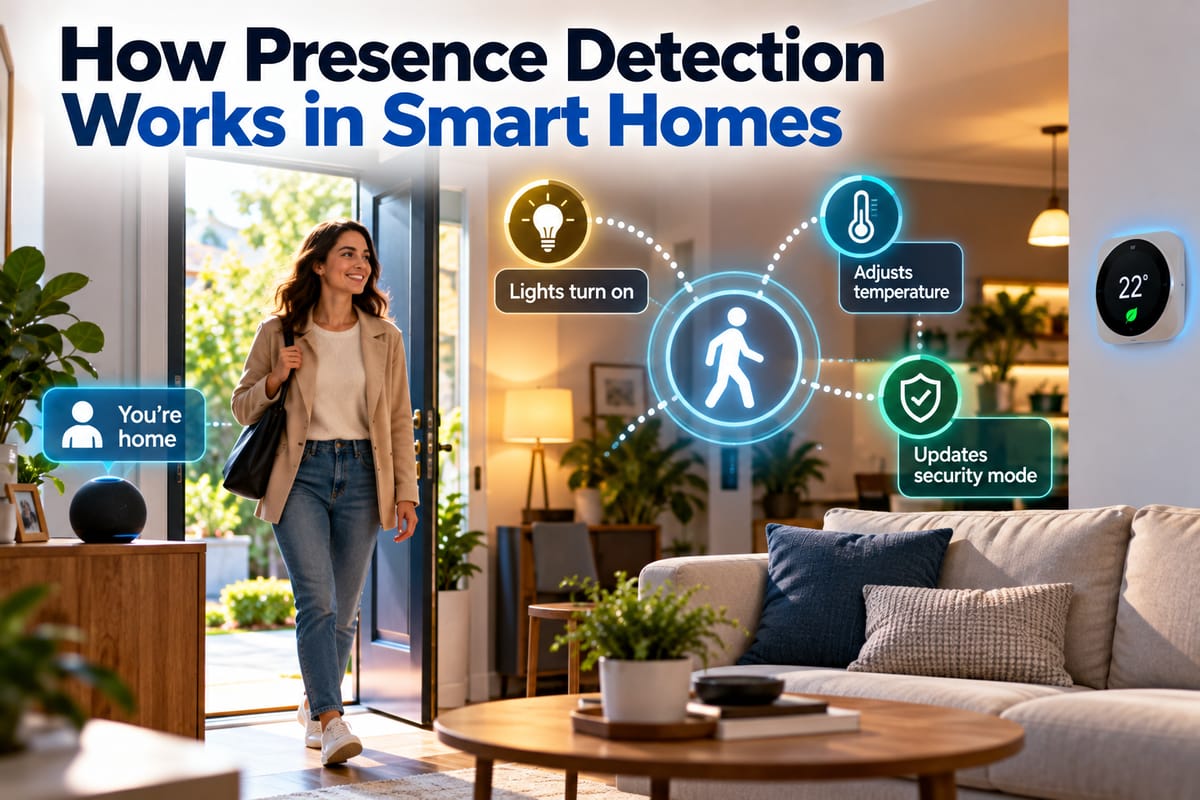
Smart homes are becoming increasingly responsive to the people who live in them. Lights can turn on when someone enters a room, thermostats can adjust temperatures based on occupancy, and security systems can distinguish between an occupied and empty home.
Behind many of these behaviors is presence detection.
Presence detection allows a smart home system to determine whether someone is likely to be present in a particular space or within the home. Unlike simple motion detection, presence detection can sometimes recognize that a person remains in a room even when they are sitting still.
Understanding how presence detection works helps explain why modern smart homes can respond automatically to everyday activity.
What Is Presence Detection?
Presence detection is the process of using sensors, devices, network information, or combinations of technologies to determine whether a person is likely to be present.
A basic motion sensor may detect movement when someone walks across a room. Presence detection can go further by attempting to determine whether someone remains in that space after they stop moving.
For example, a smart home might use presence information to:
- Turn lights on when someone enters
- Keep lights on while a person remains in the room
- Adjust heating or cooling based on occupancy
- Activate or deactivate security routines
- Trigger personalized automations
- Reduce energy use when rooms are empty
- Send alerts when unexpected activity is detected
The exact capabilities depend on the sensors and smart home platform being used.
A broader understanding of smart homes provides useful context because presence detection is usually one part of a much larger connected ecosystem.
Presence Detection vs. Motion Detection
The two concepts are closely related but are not identical.
Motion Detection
Motion detection generally identifies movement.
A traditional passive infrared sensor, for example, can detect changes in infrared radiation associated with movement through its field of view.
If a person walks into a room, the sensor may detect them.
But if that person sits down and remains still, a basic motion sensor may eventually stop reporting motion.
Presence Detection
Presence detection attempts to determine whether someone remains in an area, even when movement is minimal.
This can make automations more natural.
For example, a motion sensor might turn a light on when someone enters a room but eventually turn it off because no further movement is detected.
A presence-aware system may recognize that the person is still there and keep the light on.
Why Presence Detection Is Useful
Presence information can make smart home automation more responsive.
Without occupancy information, an automation may operate according to a fixed schedule.
For example:
Turn the hallway lights on at 7 p.m.
With presence detection, the system may instead respond to actual activity:
Turn the hallway lights on when someone enters after sunset.
This distinction can improve convenience and potentially reduce unnecessary energy consumption.
Presence detection can also allow smart home systems to respond differently depending on whether a room is occupied, vacant, or experiencing unexpected activity.
How Smart Homes Detect Presence
There is no single technology responsible for presence detection.
Different systems use different sensors and signals, including:
- Passive infrared sensors
- Microwave radar
- Millimeter-wave radar
- Cameras
- Door and window sensors
- Pressure sensors
- Bluetooth signals
- Wi-Fi signals
- Smartphones
- Smartwatches
- Combined sensor systems
Some smart homes rely on one technology, while more sophisticated systems combine several sources of information.
Passive Infrared Sensors
Passive infrared, or PIR, sensors are common in motion detectors.
They detect changes in infrared radiation associated with warm objects such as people moving through an area.
PIR sensors are generally useful for identifying movement and can be inexpensive and energy efficient.
However, they have limitations when used for continuous presence detection.
A person sitting quietly may not generate enough movement across the sensor’s detection zones to keep it triggered.
This is one reason some newer systems use additional technologies.
Millimeter-Wave Radar
Millimeter-wave radar can detect movement and other changes within an area using radio waves.
Some smart home presence sensors use radar technology to detect very small movements, such as subtle body movements associated with a person sitting or standing.
This can allow the system to maintain an occupancy estimate for longer periods.
For example, someone reading quietly on a sofa may be detected even though a traditional motion sensor has not registered significant movement.
The performance of radar-based systems depends on factors such as sensor placement, room layout, device capabilities, and configuration.
Cameras and Computer Vision
Cameras can provide another method of determining occupancy.
A smart camera may analyze visual information to identify whether a person is present.
Depending on the system, computer vision can potentially distinguish between people, animals, vehicles, or other objects.
However, cameras introduce important privacy considerations because they capture visual information about the home.
For many households, non-camera sensors may therefore be preferable for ordinary occupancy automation.
Door and Window Sensors
Door and window sensors do not usually detect presence directly.
Instead, they provide information about events that can help a smart home estimate occupancy.
For example, a system might observe that:
- The front door opens.
- A known smartphone connects to the home network.
- Movement is detected inside.
- Interior lights are activated.
The system can combine these events to infer that someone has arrived.
This illustrates an important principle: smart homes often determine presence using multiple signals rather than relying on one sensor.
Smartphones and Wearable Devices
Smartphones can provide useful information about whether a person is likely to be home.
A smart home platform may use information such as:
- Device location
- Wi-Fi connection
- Bluetooth proximity
- Geofencing
- Account activity
For example, when a person’s phone leaves a defined geographic area, the system may consider the home unoccupied.
When the phone returns, it may trigger an arrival routine.
This approach can be particularly useful for whole-home automations.
However, it is not perfect. A phone may be left at home, lose connectivity, run out of battery, or be carried by someone other than the person the system expects.
Wi-Fi-Based Presence Detection
Wi-Fi can also provide information about connected devices and, in some systems, physical activity.
At a basic level, a smart home can determine whether known devices are connected to the home network.
More advanced systems may use changes in wireless signals to infer movement or occupancy.
Wi-Fi-based approaches can be useful because they may not require installing a dedicated sensor in every room.
However, their accuracy depends on the technology, network environment, device placement, and algorithms being used.
Combining Multiple Sensors
One of the most effective approaches to presence detection is sensor fusion.
Instead of relying on one signal, the smart home can combine information from several sources.
For example:
| Signal | What it may indicate |
|---|---|
| Door opens | Someone may have entered or exited |
| PIR motion | Movement occurred |
| Radar | A person may remain present |
| Smartphone location | A household member may be nearby |
| Wi-Fi connection | A known device is connected |
| Smart lighting activity | A room may be occupied |
| Camera detection | A person may be visible |
Combining these signals can provide a more complete picture than relying on any one source.
How Presence Detection Supports Automation
Presence information becomes particularly useful when connected to smart home automation.
A system can use occupancy conditions to determine whether an action should occur.
For example:
If a person is detected in the living room → adjust lighting.
Or:
If the home is empty → reduce heating or cooling.
Or:
If an unexpected person is detected while the home is marked vacant → send an alert.
These automated behaviors are part of the broader concept described in How Smart Homes Detect User Activity and Respond Automatically.
Presence Detection and Smart Lighting
Lighting is one of the simplest applications.
A basic setup might turn lights on when movement is detected.
A more sophisticated system can consider whether someone is actually occupying the room.
For example, a bedroom reading area could remain illuminated while a person sits quietly, while lights in an empty room could switch off automatically.
Presence information can also be combined with:
- Time of day
- Ambient light levels
- User preferences
- Room location
- Sleep schedules
This can create lighting that responds more naturally to household activity.
Presence Detection and Smart Climate Control
Heating and cooling systems can also benefit from occupancy information.
If a room is consistently empty, a smart thermostat or climate system may reduce conditioning in that space.
When someone returns, the system can adjust the environment again.
This can help balance comfort and energy use.
Presence detection does not necessarily mean that every room should be heated or cooled differently. The usefulness depends on the home’s layout, HVAC system, climate, and available controls.
Presence Detection and Indoor Monitoring
Occupancy is often considered alongside other environmental measurements.
Smart sensors can monitor conditions such as:
- Temperature
- Humidity
- Air quality
- Light levels
- Motion
- Noise
- Occupancy
How Smart Home Sensors Monitor Indoor Conditions explains how these different types of sensors can contribute to a more responsive home environment.
Combining occupancy and environmental information can allow automations to respond to both the people in a room and the conditions surrounding them.
Presence Detection for Energy Management
An empty room does not always need the same level of lighting, heating, cooling, or other energy consumption as an occupied room.
Presence detection can therefore become part of an energy-management strategy.
For example, a smart system might:
- Dim lights in unused areas
- Reduce heating or cooling when rooms are vacant
- Adjust ventilation based on occupancy
- Turn off selected appliances
- Modify energy-saving modes automatically
The potential savings depend on the devices involved and how the system is configured.
Presence detection should be viewed as one tool within a broader energy-management strategy rather than a guarantee of lower energy use.
Presence Detection and Home Security
Occupancy information can also support security routines.
A smart home may behave differently when residents are home compared with when everyone has left.
For example:
When the Home Is Occupied
The system might:
- Keep security alerts limited
- Maintain normal lighting routines
- Allow selected doors or devices to remain active
- Adjust cameras according to privacy preferences
When the Home Is Vacant
The system might:
- Arm security equipment
- Monitor doors and windows
- Send notifications for unexpected activity
- Activate selected cameras
- Simulate occupancy with lighting
A dedicated Smart Home Monitoring Guide: Sensors and Alerts provides broader context about how sensors and alerts can work together.
Presence Detection Can Make Security More Context-Aware
A security sensor detecting movement does not necessarily mean an intruder is present.
A household member, pet, delivery worker, or other expected visitor could cause activity.
Presence information can provide additional context.
For example, if the smart home knows that a resident is present, movement in the living room may be treated differently from movement detected when the property is supposed to be empty.
This can help reduce unnecessary alerts.
However, presence detection is not infallible. Security systems should not rely on occupancy estimates as the sole basis for important safety decisions.
Geofencing and Home Arrival
Geofencing uses a defined geographic area to trigger actions when a device enters or leaves that area.
For example, a homeowner might establish a virtual boundary around the neighborhood.
When their smartphone leaves the area, the smart home could:
- Turn off selected lights
- Adjust the thermostat
- Lock compatible doors
- Arm certain security functions
When the phone returns, the system could reverse some of those actions.
Geofencing can be convenient, but it should be configured carefully because location information can be inaccurate or delayed.
Challenges With Presence Detection
Presence detection is useful, but it is not perfect.
Several factors can affect accuracy.
Multiple People
A system may detect that someone is present without knowing exactly who is in the room.
Some platforms can use account information, phones, wearables, or other signals to make a more specific determination, but this varies considerably.
Pets
Animals can trigger motion sensors and, depending on the technology, may sometimes affect occupancy estimates.
Sensor Placement
A sensor placed behind furniture, too high, too low, or in an unsuitable location may not perform as expected.
Connectivity Problems
Wi-Fi or Bluetooth-based systems can produce incorrect occupancy states when devices lose connectivity.
Battery Limitations
Battery-powered sensors may enter low-power modes that affect how frequently they detect or report activity.
False Positives and False Negatives
A system may occasionally conclude that someone is present when no one is there or fail to recognize that someone is present.
These limitations should be considered when designing important automations.
Privacy Considerations
Presence detection can provide useful automation while also creating privacy questions.
Some systems may collect information about:
- When people are home
- When they leave
- Which rooms they use
- Daily routines
- Device locations
- Movement patterns
Camera-based systems can collect even more detailed information.
Before installing a presence detection system, homeowners should consider what data is being collected, where it is stored, who can access it, and whether cloud processing is required.
Privacy settings should be reviewed alongside convenience.
How to Improve Presence Detection at Home
A few practical steps can improve reliability.
Place Sensors Carefully
Consider room layout, furniture, entrances, and common activity areas when positioning sensors.
Combine Technologies
A combination of motion, door, smartphone, and other signals may provide better context than a single sensor.
Adjust Detection Sensitivity
If a sensor is too sensitive, it may generate unnecessary events. If it is not sensitive enough, it may miss relevant activity.
Create Delays
A short delay before turning lights off can prevent the system from reacting too quickly to temporary inactivity.
Test Automations
Observe how the system behaves at different times and under different conditions.
Review Rules Periodically
Household routines change. Automations should be updated when residents, schedules, furniture, or device configurations change.
Presence Detection Is Becoming More Context-Aware
Smart homes are moving beyond simple commands such as “turn the lights on.”
Modern systems can combine information from multiple devices to estimate what is happening in the home.
A system might consider:
- Who may be home
- Which room is occupied
- Whether movement is occurring
- What time it is
- Current environmental conditions
- Whether doors are open
- Whether a smartphone is nearby
- Whether the home is in an away mode
This allows automation to become more responsive to context rather than simply reacting to individual sensor events.
Building a More Responsive Smart Home
Presence detection is one of the technologies that helps transform connected devices into a more coordinated home environment.
Motion sensors can identify movement, radar can detect subtle activity, smartphones can provide location signals, door sensors can reveal arrivals and departures, and other devices can contribute additional context. When these signals are combined, a smart home can make more informed occupancy estimates.
The technology still has limitations, and privacy should remain an important consideration. Presence information can reveal household routines, while inaccurate detection can cause unwanted automations.
The best approach is therefore to use presence detection thoughtfully, combine it with other reliable signals, test automations carefully, and choose settings that balance convenience, security, energy use, and privacy.
Making Occupancy Data Work for the Home
Presence detection works best when it serves a clear purpose.
A homeowner might use it to keep lights comfortable, adjust climate settings, reduce energy use, improve security alerts, or create routines that respond naturally to household activity.
As connected sensors become more capable, the most useful smart homes will not simply react to every movement. They will increasingly combine different signals to understand context and respond in ways that are useful, predictable, and respectful of the people living inside them.