What Are the Limitations of Smart Homes?
What Are the Limitations of Smart Homes?
Smart homes can make everyday life more convenient. Lights can turn on automatically, thermostats can adjust temperatures, cameras can send alerts, and voice assistants can control connected devices without requiring someone to reach for a switch or phone.
But smart-home technology is not without limitations.
Connected devices depend on combinations of hardware, software, wireless networks, cloud services, electricity, mobile applications, and sometimes third-party platforms. When one part of that system fails or becomes incompatible, a feature that normally works automatically may stop working or behave differently.
Understanding these limitations does not mean avoiding smart-home technology. Instead, it helps homeowners choose devices realistically, plan for failures, protect their information, and build systems that remain useful even when something goes wrong.
Smart Homes Depend on Technology
A traditional light switch has a relatively simple job. Press the switch and the circuit changes.
A smart light can involve several additional components:
Phone or voice command → Home network → Smart-home platform → Device → Light
Depending on the product, the command may also pass through a manufacturer’s cloud service.
Every additional component creates another potential point of failure.
A smart home can therefore provide considerably more functionality than traditional home technology, but that functionality comes with greater technical complexity.
Internet Connectivity Can Be a Limitation
Many smart-home devices depend partly or entirely on an internet connection.
If the internet connection fails, some devices may continue working locally while others may lose important features.
Possible effects include:
- Remote control becoming unavailable
- Cloud-based automations stopping
- Notifications being delayed
- Voice-assistant features becoming unavailable
- Camera access being interrupted
- Mobile apps losing communication with devices
The exact impact depends on the device and how it was designed.
Some products can continue performing basic functions locally, while others rely heavily on cloud infrastructure.
The differences are explored in What Happens to Smart Home Devices When Internet Goes Down.
Wi-Fi Problems Can Affect Multiple Devices
A home with many connected devices can place additional demands on its wireless network.
Problems may arise from:
- Weak Wi-Fi coverage
- Router limitations
- Network congestion
- Interference
- Poor device placement
- Outdated networking equipment
- Too many connected devices
- Configuration problems
A single weak signal may affect one device, but a router or network problem can potentially affect many devices at once.
This is why the underlying network is an important part of smart-home reliability.
The Complete Guide to Smart Home Networking provides broader context on how connected devices depend on the home’s networking infrastructure.
Device Compatibility Is Not Guaranteed
One of the biggest challenges in building a smart home is making different products work together.
Two devices may both be described as “smart” without supporting the same platforms, standards, commands, or automation features.
Compatibility can depend on:
- Voice-assistant support
- Smart-home platforms
- Wireless protocols
- Device standards
- Manufacturer integrations
- Firmware versions
- Regional availability
- Specific device models
A product that works well on its own may not expose every feature when connected to another platform.
This makes Understanding Smart Home Integration and Compatibility an important consideration before buying devices from different manufacturers.
Some Features Require Manufacturer Clouds
Many smart-home products communicate with cloud servers operated by their manufacturers.
Cloud services can provide useful capabilities such as:
- Remote access
- Notifications
- Account management
- Voice integration
- Data synchronization
- Software updates
However, cloud dependence also introduces potential limitations.
If the manufacturer experiences an outage, changes its service, discontinues a platform, or shuts down a product’s cloud infrastructure, certain features may stop working.
This is one reason it is worth understanding whether a device supports local control.
Smart Homes Can Become Too Complicated
Adding more devices does not always make a smart home better.
A home containing dozens of sensors, switches, cameras, speakers, hubs, apps, and automations can become difficult to manage.
Complexity can make it harder to answer basic questions such as:
- Why did this light turn on?
- Which device controls the thermostat?
- Why did this automation stop?
- Which app manages this sensor?
- Who has access to this camera?
- Which account owns this device?
The more interconnected the system becomes, the more important organization becomes.
Too Many Apps Can Be Frustrating
Different manufacturers may require different mobile applications.
A household might eventually have separate apps for:
- Lighting
- Security cameras
- Thermostats
- Appliances
- Door locks
- Speakers
- Networking equipment
- Smart plugs
Although integrations can bring some of these devices together, not every feature necessarily becomes available through one interface.
This can undermine some of the simplicity that smart homes are supposed to provide.
Voice Control Is Not Perfect
Voice assistants can be convenient, but they are not flawless.
They may occasionally:
- Misunderstand commands
- Activate accidentally
- Confuse similarly named devices
- Fail to recognize a speaker
- Interpret a command differently than intended
- Require an internet connection
- Struggle with background noise
Naming devices clearly can reduce some problems, but voice recognition remains imperfect.
This can become particularly noticeable when several people use the same home and different household members have different preferences or permissions.
Automation Can Produce Unexpected Results
Automation is one of the biggest advantages of a smart home, but automated systems can also behave unexpectedly.
For example, a motion sensor might turn a light on when someone walks past at night. A scheduled routine might change a thermostat while someone is still using the room. A door sensor could trigger an automation because a door was opened briefly.
These behaviors are not necessarily defects. They may simply reflect rules that were configured without accounting for every situation.
The more complicated an automation becomes, the more difficult it can be to predict every possible interaction.
Sensors Have Limitations
Smart homes rely heavily on sensors.
Common examples include:
- Motion sensors
- Door sensors
- Temperature sensors
- Humidity sensors
- Light sensors
- Occupancy sensors
- Cameras
- Smoke and environmental sensors
Sensors can provide useful information, but none are perfect.
A motion sensor may fail to detect a stationary person. A camera can have blind spots. A temperature sensor may be affected by its location. A presence-detection system may occasionally misinterpret activity.
Smart-home decisions are only as reliable as the information available to the system.
Power Outages Can Disable Devices
Electricity is another fundamental dependency.
A power outage can affect:
- Smart lights
- Routers
- Hubs
- Cameras
- Smart displays
- Thermostats
- Connected appliances
Battery-powered sensors may continue operating, but they may eventually need to communicate with devices or services that have lost power.
Some smart locks and other important devices include battery backups or manual controls, but this varies by product.
For critical functions, homeowners should know what happens when electricity is unavailable.
Smart Locks Need a Backup Plan
Smart locks offer convenience, but they introduce a different kind of dependency.
If a smart lock loses power, network connectivity, or access to its control system, the homeowner needs to know how the door can still be opened.
Depending on the lock, backup options might include:
- A physical key
- A keypad
- Local Bluetooth access
- A backup battery connection
- Another approved access method
Smart-home convenience should not eliminate basic contingency planning for entry and exit.
Security and Privacy Are Ongoing Concerns
A connected home can collect significant amounts of information.
Depending on the devices installed, data may include:
- Motion events
- Door activity
- Temperature readings
- Camera footage
- Voice interactions
- Device usage
- Location information
- Household routines
This information can be useful for automation, but it also creates privacy considerations.
A smart-home system therefore needs security practices just like computers and smartphones do.
The Smart Home Security Guide provides a broader look at protecting connected devices and the networks they use.
More Connected Devices Mean More Potential Attack Surfaces
Every connected device can introduce another component that needs to be secured.
Security concerns can include:
- Weak passwords
- Outdated firmware
- Poorly configured routers
- Unnecessary remote access
- Excessive permissions
- Vulnerable third-party integrations
- Unsecured accounts
This does not mean that every smart device is inherently unsafe.
It means that a connected home requires ongoing attention to account security, software updates, network configuration, and device permissions.
Manufacturers Can Stop Supporting Products
Smart devices can have shorter technology lifecycles than traditional household equipment.
A manufacturer may eventually stop providing:
- Firmware updates
- Security patches
- Cloud services
- Mobile-app support
- Compatibility with newer platforms
A device may still physically work while losing some of its connected features.
This can create an unusual situation in which a homeowner owns a functioning piece of hardware that no longer works as originally intended.
Software Updates Can Change How Devices Behave
Updates are generally important for security and reliability, but they can also change functionality.
An update may:
- Add new features
- Remove obsolete features
- Change menus
- Modify automation behavior
- Alter integrations
- Require a newer app version
In some cases, a change made by one company can affect how its device interacts with another company’s platform.
Smart homes are therefore not completely static systems.
Cloud Services Can Change Over Time
A device’s functionality can depend on business decisions made by its manufacturer.
A company might:
- Change subscription requirements
- Introduce a new app
- Discontinue an older service
- Change supported platforms
- Limit older hardware
- Shut down a cloud service
This is particularly important when buying expensive smart-home equipment.
A homeowner should consider not only whether the device works today but also how dependent it is on a manufacturer’s continued support.
Subscription Costs Can Add Up
Some smart-home products offer basic functionality for free but charge recurring fees for advanced features.
Subscription-based services may include:
- Cloud video storage
- Advanced security alerts
- Extended device history
- Premium automation features
- Professional monitoring
- Enhanced analytics
A household with several subscription-based devices can eventually face significant recurring costs.
Before purchasing a device, it is worth checking which features require ongoing payments.
Smart Homes Can Create False Confidence
Automation can make a home feel more secure or efficient without guaranteeing that it actually is.
For example, receiving a camera notification does not guarantee that every security event will be detected.
Similarly, an automated thermostat does not guarantee that energy consumption will fall under every circumstance.
Smart-home systems should therefore complement sensible household practices rather than replace them.
Privacy Can Be Difficult to Manage
Smart-home devices may create privacy concerns because they can operate continuously in private spaces.
Cameras and microphones deserve particular consideration.
Before installing such devices, homeowners should think about:
- Where they are placed
- Who can access them
- What data they collect
- Where recordings are stored
- How long data is retained
- Which third-party services receive information
- Whether the device can be disabled
Privacy considerations become even more important in shared homes where not every resident may have made the original purchasing decision.
Not Every Home Needs Every Smart Device
One of the easiest ways to avoid unnecessary complexity is to install technology only when it solves a genuine problem.
A smart device may be useful when it provides:
- Meaningful convenience
- Better accessibility
- Useful energy management
- Improved monitoring
- Practical automation
- Valuable security information
A device that adds another app, account, subscription, and maintenance requirement without solving a real problem may not provide much practical value.
Smart Homes Require Maintenance
Traditional household equipment also needs maintenance, but connected devices add several digital responsibilities.
Homeowners may need to:
- Update firmware
- Replace batteries
- Review permissions
- Change passwords
- Remove old accounts
- Reconfigure devices
- Replace outdated hardware
- Check network performance
- Review automations
The maintenance burden can increase as the number of devices grows.
Troubleshooting Can Be Difficult
When something stops working, identifying the cause can be challenging.
A smart light that fails to respond could have a problem with:
- The bulb
- The switch
- The Wi-Fi network
- The hub
- The manufacturer’s cloud
- The mobile app
- The account
- The automation
- The voice assistant
This is very different from troubleshooting a conventional light switch.
The interconnected nature of smart homes can make diagnosis more complicated.
Interoperability Can Limit Device Choice
Homeowners may want to purchase the best individual product for each category, but compatibility considerations can narrow the practical choices.
For example, a particular door lock might have excellent features but lack compatibility with the homeowner’s preferred smart-home platform.
Another device might support the platform but not expose all of its functions.
This means buying decisions should consider the entire ecosystem rather than evaluating products completely in isolation.
Local Control Can Reduce Some Dependencies
Some smart-home systems can perform certain functions locally without relying on the internet.
Local control can potentially improve resilience when:
- The internet is unavailable
- A cloud service experiences an outage
- Remote access is unnecessary
- Faster device-to-device responses are desirable
However, local operation varies significantly between products.
A device may support local control for basic functions while still requiring cloud services for remote access or advanced features.
Smart Homes Can Have Accessibility Benefits and Limitations
Voice commands, automated lighting, smart locks, and remote controls can make homes easier to use for some people.
However, relying entirely on digital controls can also create problems if:
- Voice recognition fails
- A phone battery dies
- The internet goes down
- A user cannot access an account
- An automation behaves unexpectedly
Good smart-home design should therefore provide practical alternatives for important functions.
The More Complex the System, the More Important Backup Plans Become
A resilient smart home should not depend on a single method for every important task.
For example, homeowners may want to know:
- How to unlock the door without the app
- How to control lights without the internet
- How to restart the network
- How to manually operate important appliances
- How to access devices when a cloud service is unavailable
- How to recover an account if credentials are lost
These alternatives become particularly important for security, heating, cooling, and access systems.
Smart Homes Can Still Be Highly Useful
The limitations of smart-home technology do not eliminate its benefits.
Connected devices can make it easier to:
- Automate repetitive tasks
- Monitor home conditions
- Control devices remotely
- Improve accessibility
- Manage lighting
- Adjust climate settings
- Monitor certain security events
- Coordinate multiple devices
The key is understanding what the technology can realistically do and where it can fail.
Designing Around Smart-Home Limitations
A reliable smart home does not need to be the most technologically complicated one.
A practical approach is to:
- Choose devices that solve real problems.
- Check compatibility before purchasing.
- Build a reliable home network.
- Prefer important devices with sensible offline or manual controls.
- Protect accounts with strong authentication.
- Keep firmware and apps updated.
- Review privacy settings.
- Avoid unnecessary subscriptions.
- Document important automations.
- Maintain backup methods for critical functions.
This approach can reduce some of the frustrations associated with connected-home technology.
Knowing the Trade-Offs Makes Smart Homes More Useful
Smart homes offer a powerful combination of automation, convenience, monitoring, and remote control, but those capabilities depend on a network of technologies working together.
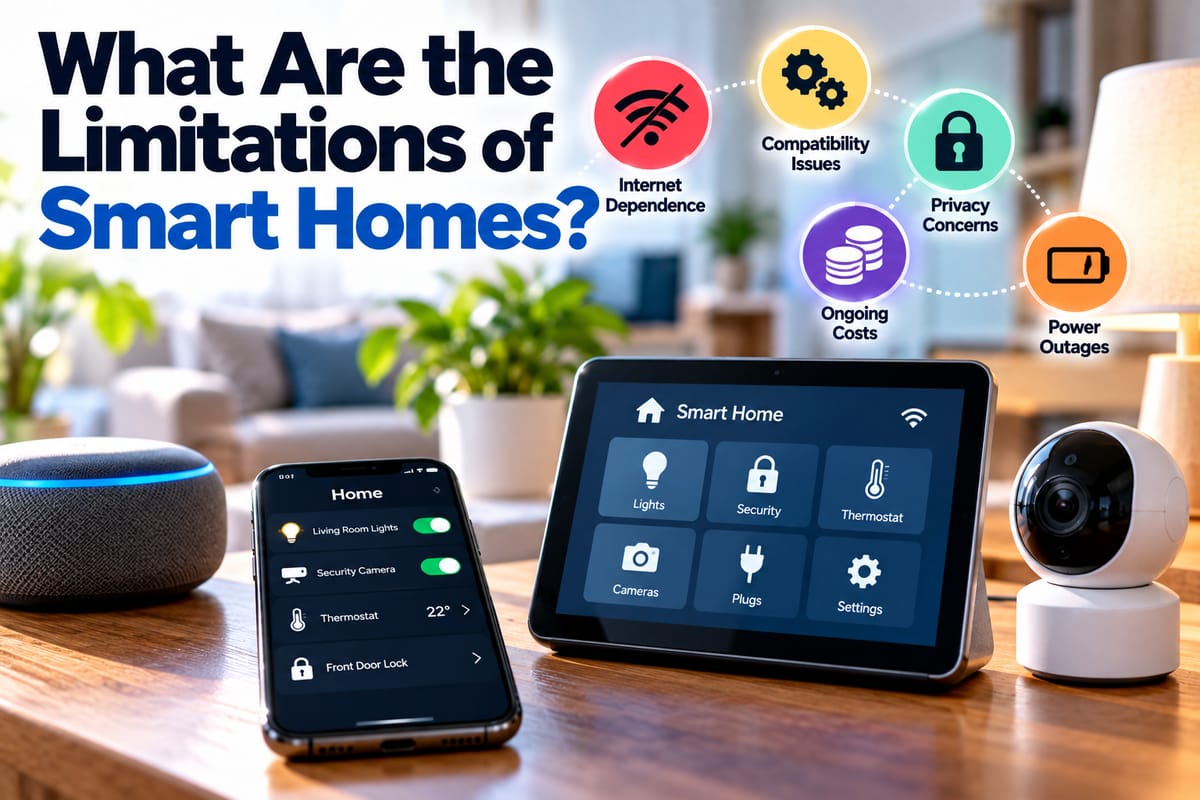
Internet outages, power failures, compatibility problems, cloud dependencies, cybersecurity risks, privacy concerns, subscription costs, software changes, sensor limitations, and increasing complexity can all affect the experience.
The best way to approach smart-home technology is therefore not to expect perfection. Instead, understand the dependencies behind each device, protect the systems that connect the home, maintain alternatives for important functions, and choose technology that provides meaningful value.
A smart home ultimately works best when technology supports the household rather than becoming another complicated system that the household has to constantly manage.